


Administration
Authority Roles
Learn how owners and trusted staff use Authority Roles to define reusable staff seats and review where those roles are used in team-season authority work.
Overview / Purpose
Authority Roles are reusable staff seats for football responsibility.
Use roles when the staff needs stable language for a responsibility seat such as position-group lead, gameplan readiness owner, install coordinator, or review coordinator.
Roles help the organization describe the seat before deciding who occupies it for a team-season context.
Who this is for
This page is for organization owners and trusted staff members who maintain reusable role language.
It is especially useful for head coaches, coordinators, and football operations staff who need staff responsibility to stay understandable across seasons, teams, and weekly workflows.
What to know first
You must be signed in with organization context before Authority Roles can load.
Authority Roles access is limited to organization owners and staff members whose role allows staff authority management.
A role is not the same as organization membership. Inviting a person gives them an account path. Defining an authority role gives the staff a reusable football responsibility seat.
A role is also not the same as a delegation. A role describes a seat. A delegation describes a specific handoff of responsibility.
Some roles may be bootstrap roles supplied by HotRoute. Treat bootstrap roles as standard role language and avoid changing them unless the screen allows it.
How it works
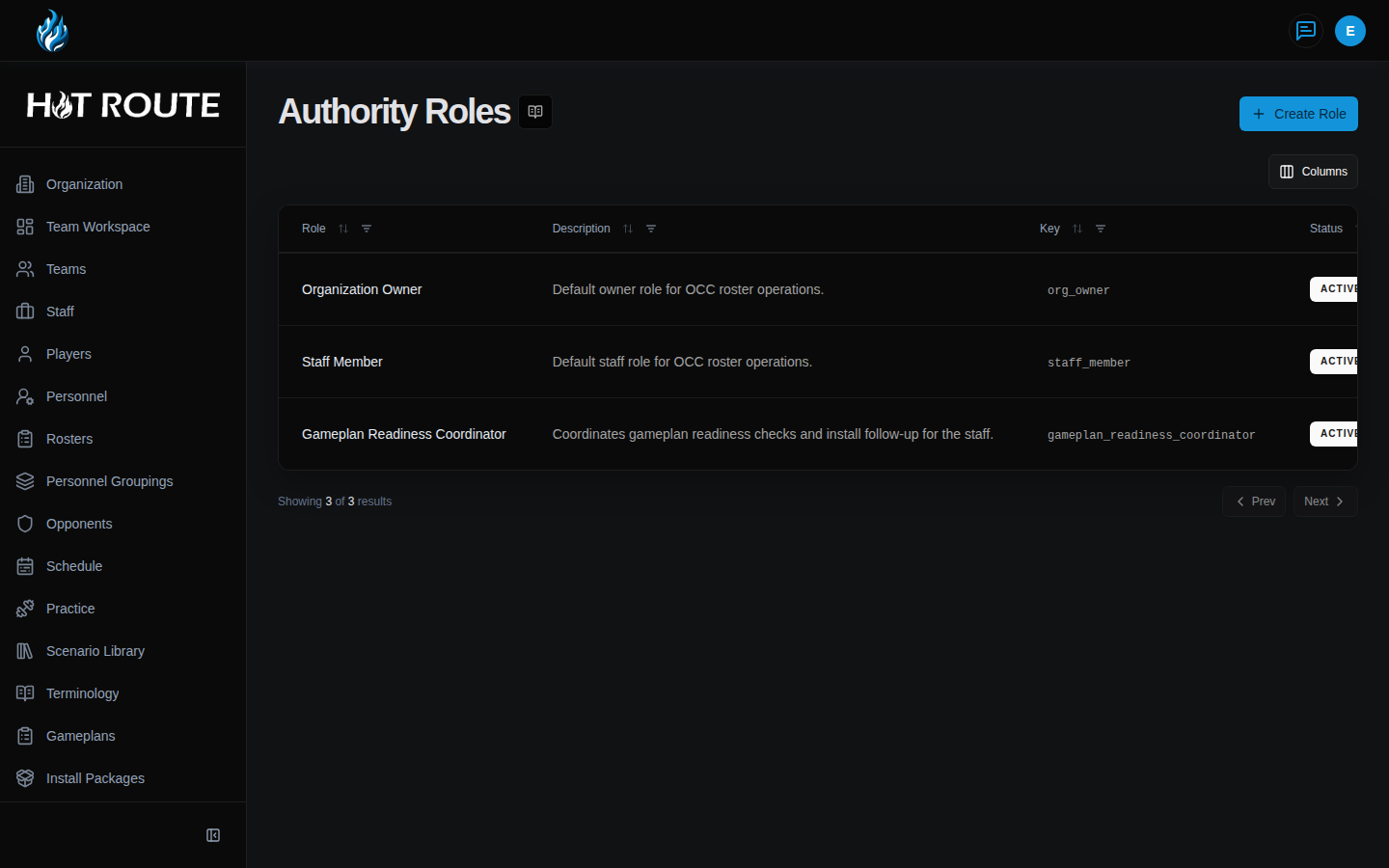
Open Authority Roles to review the role list.
Each role has a name, description, status, role key, version, role type, and updated timestamp. The detail page also shows where the role is used through Role Occupancy and Authority Workspace Usage.
Use custom roles when the staff needs language that is specific enough for football work but reusable enough to survive one week of planning.
Step-by-step instructions
- Sign in to HotRoute.
- Open Authority Roles from the app navigation.
- Review the existing role list before creating a new role.
- Click Create Role when the staff needs a reusable authority seat.
- In Role Name, enter the role name in plain football staff language.
- In Description, explain what the role is expected to own.
- Save the role.
- Open a role row when you need to review or change it.
- On the detail page, review Role Name, Status, Role Key, Version, Description, Role Type, and Last Updated.
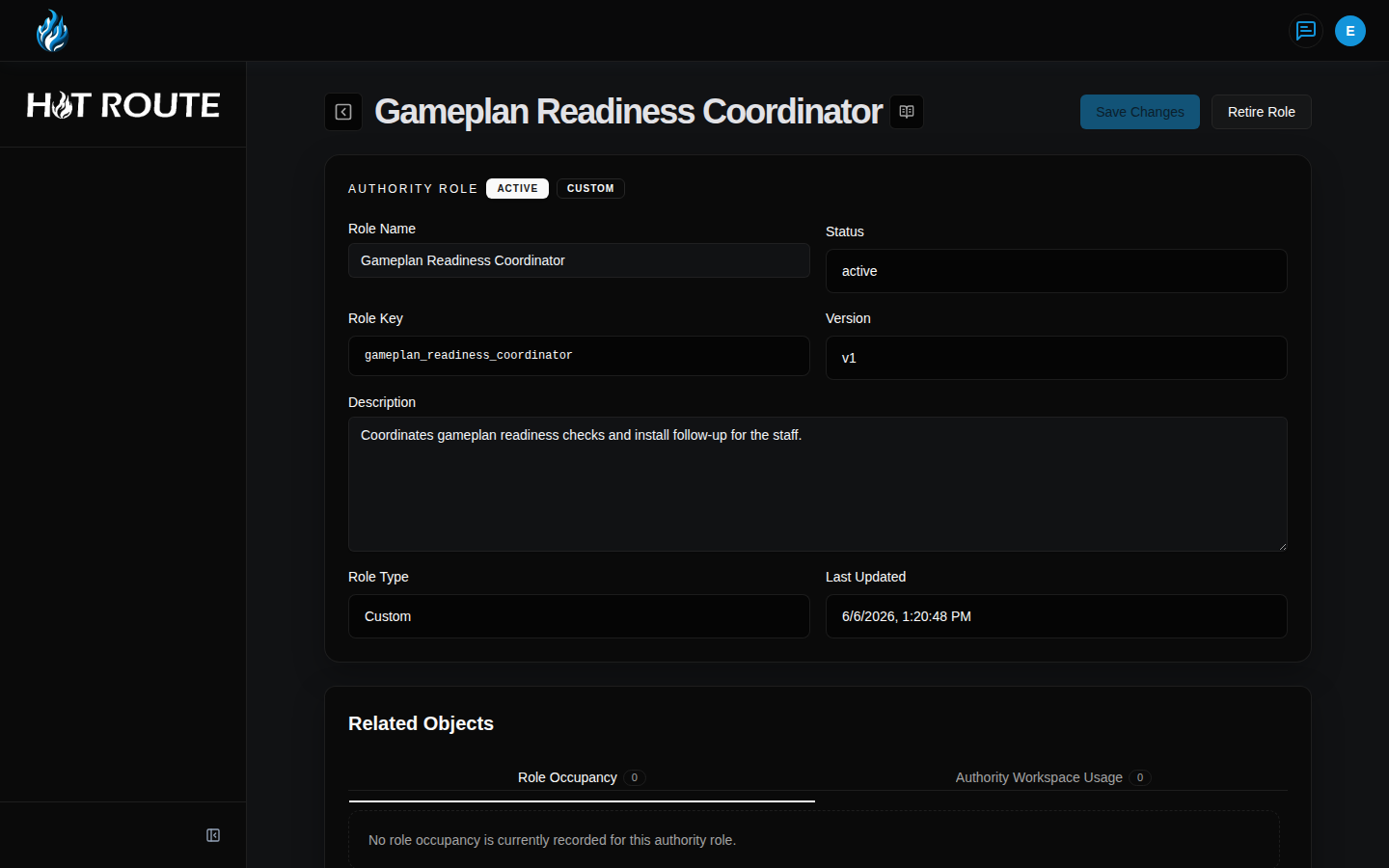
- Use Role Occupancy to understand where people are connected to that role.
- Use Authority Workspace Usage to see how the role appears in team-season authority work.
- Click Save Changes only when the role language still matches the staff's real operating model.
- Use Retire Role only when the role should stop being used for future staff authority work.
What good looks like
A healthy authority role is easy to recognize and hard to confuse.
The staff should be able to answer:
- What staff seat does this role describe?
- Is the role active, retired, bootstrap, or custom?
- Who occupies this role in the relevant team-season context?
- Which responsibility definitions depend on this role?
- Would a new staff member understand the role without a side explanation?
Common questions or mistakes
Should every staff member get a unique authority role?
No. Roles should describe reusable seats. If the language only describes one person's temporary task, a delegation or assignment may be a better fit.
Does creating a role give someone access?
No. A role definition does not add a user, grant membership, or override product access. Organization access is managed separately.
Can a retired role still explain historical work?
Yes. Retiring a role should stop future use, but historical context can still help the staff understand earlier responsibility decisions.
Why can I not edit a bootstrap role?
Some roles are standard HotRoute role language. If the screen does not allow editing, treat that role as managed standard language.
Related docs / next steps
Read Authority Workspace when you need to see where roles are used in a team-season context.
Read Staff Authority when the responsibility definition behind a role needs to be created, reviewed, or published.
Read Authority Delegations when responsibility is being handed from one person to another.
Return to Organization Configuration when the work is organization setup, member access, or invite paths.