


Feature Guides
Practice and Drill Library
Learn how HotRoute practice plans and drills turn weekly preparation into coach-reviewed periods, blocks, and teachable field work.
Overview / Purpose
Practice plans turn the week into field work. Drills describe reusable teaching blocks that a staff can place into a practice plan.
Use practice plans to organize periods, groups, and blocks for a specific date, team, season, and unit. Use the drill library to maintain coach-reviewed drill definitions that can be reused across weeks.
Who this is for
This guide is for coordinators, position coaches, analysts, and operators who prepare practice work.
It is also useful for staff members who need to understand where a period, group, block, or drill came from before practice starts.
What to know first
Practice planning is coach-controlled. HotRoute can organize practice work, but it does not replace staff judgment, player safety authority, medical judgment, roster authority, or school/program policy.
Some practice and drill surfaces may still be gated or maturing during launch. If your organization does not have access, HotRoute may hide the route or show an unavailable state.
How it works
This guide covers these routes:
| App route | What it is for |
|---|---|
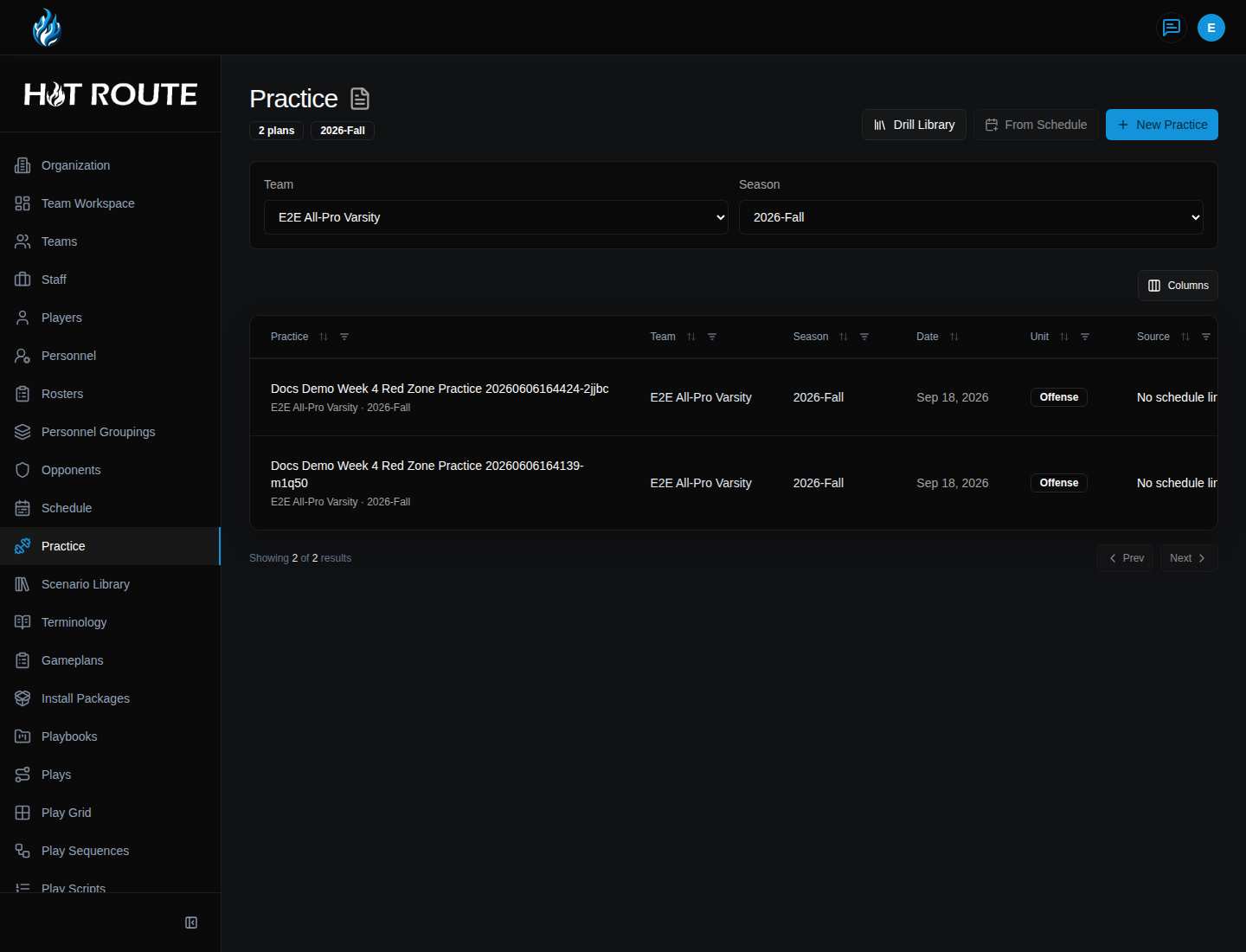
/practice | List practice plans, start a new plan, create from schedule, or open the drill library. |
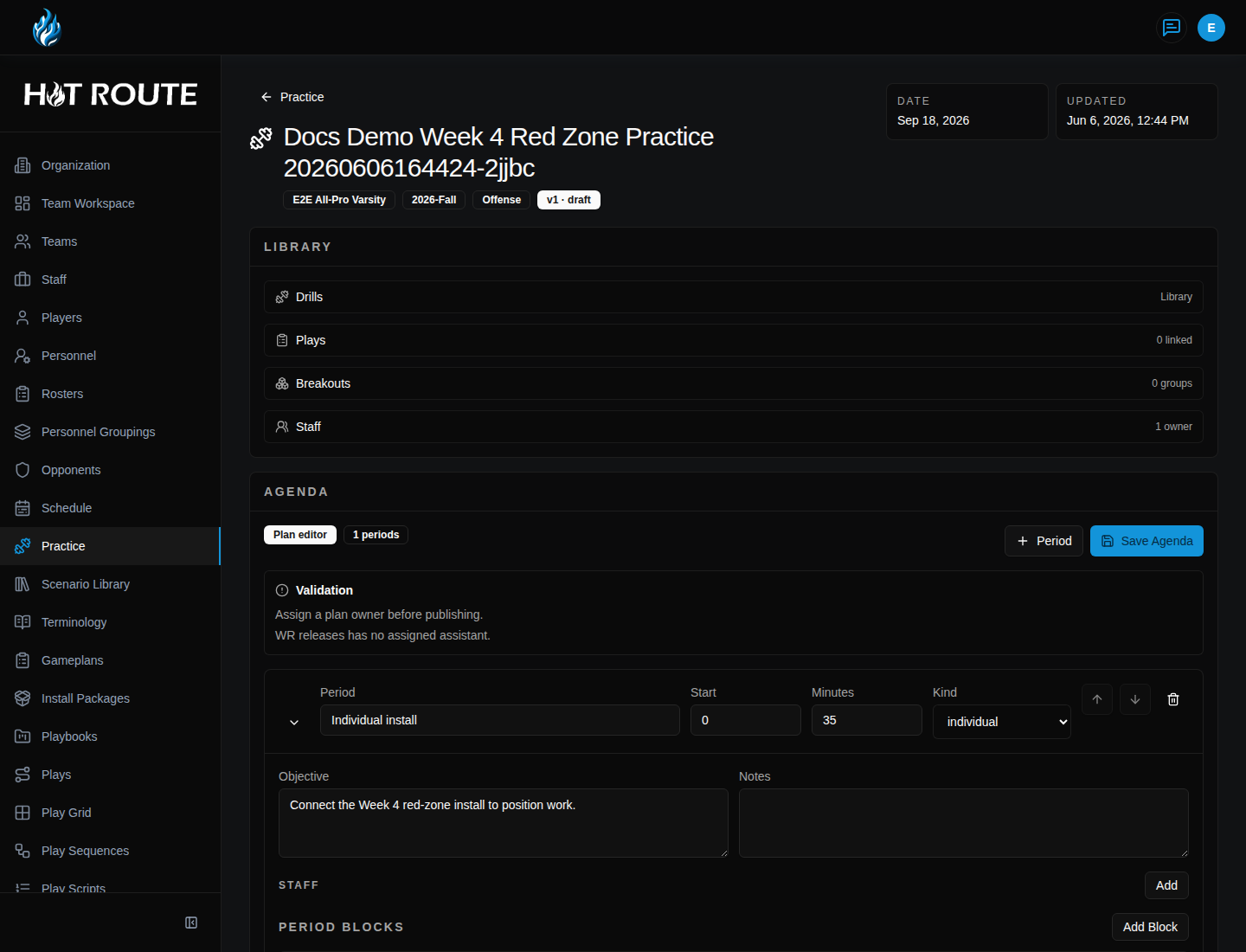
/practice/[id] | Review and edit one practice plan workspace. |
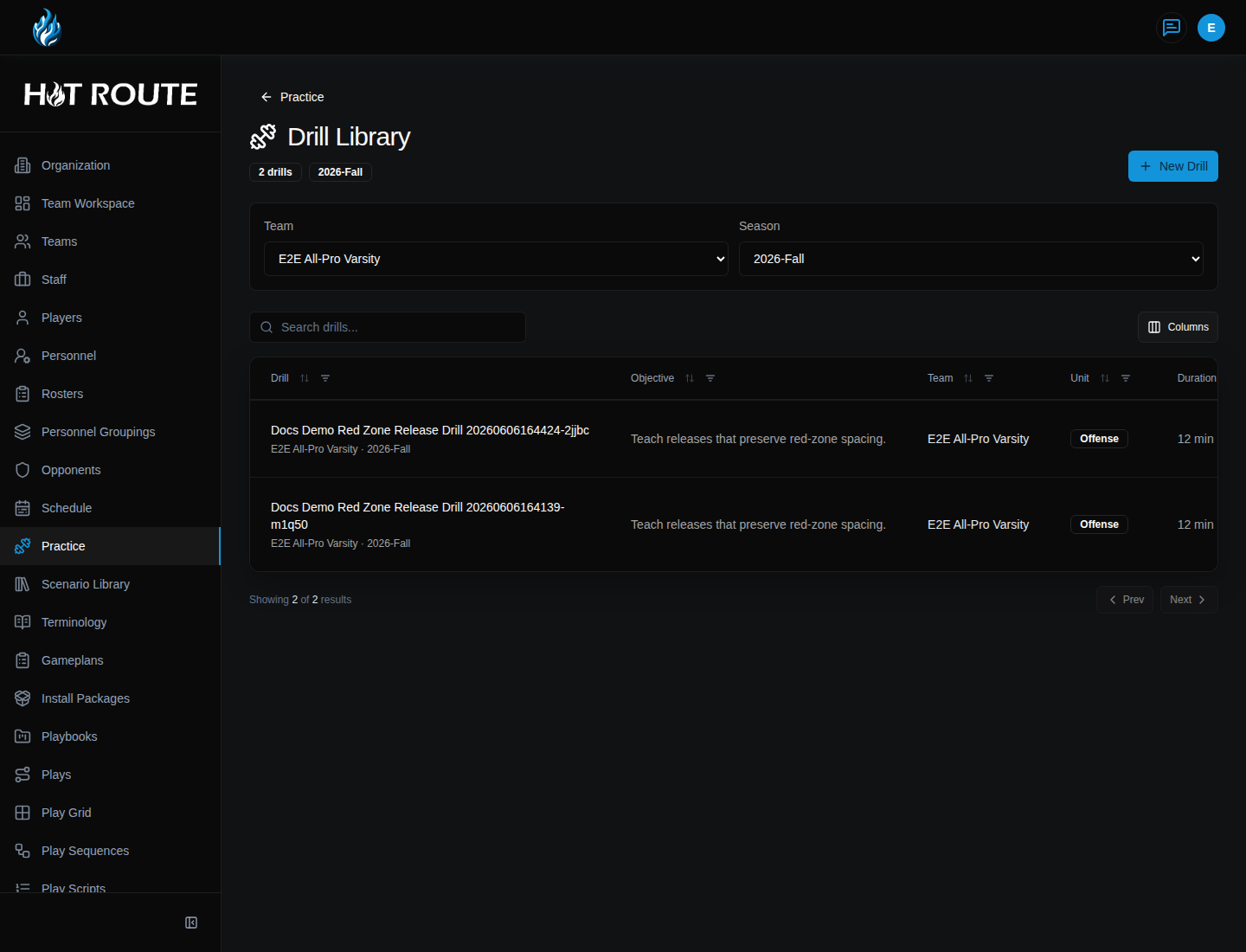
/practice/drills | Browse the drill library. |
/practice/drills/new | Create a new drill definition. |
/practice/drills/[id] | Review or edit one drill definition. |
The practice plan is date-specific. The drill is reusable. Keep that distinction clear so weekly work does not overwrite durable teaching definitions.
Step-by-step instructions
- In the left navigation, click Practice.
- Review the practice plan list for the date, team, season, unit, and lifecycle state.
- Click an existing practice plan to open it.
- Click New Practice when the staff needs a plan from scratch.
- In Create Practice Plan, choose Team, Season, Date, and Unit.
- Add a title or description the staff will recognize.
- Save the plan.
- Click From Schedule when the practice should start from a scheduled event.
- In the practice workspace, use Library to find the work that belongs in the plan.
- Use Agenda to add periods, groups, and blocks.
- Use Add Group when a period needs multiple concurrent groups.
- Use Add Block when a group needs a specific work block.
- Use Inspector to review or adjust the selected item.
- Click Save Agenda after changing the plan structure.
- Publish or prepare confirmation only when the plan is ready for staff use.
Drill library instructions
- From Practice, click Drill Library.
- Review existing drill definitions.
- Click New Drill.
- On New Practice Drill, enter a Title that a coach will recognize.
- Add an Objective that explains the teaching purpose.
- Add setup, coaching points, tags, or other visible fields when the form asks for them.
- Save the drill.
- Open the drill detail page later when the definition needs review or correction.
- Place the drill into practice plans only when it fits that date's teaching purpose.
How practice relates to gameplans and install
The weekly rhythm usually flows from source truth to teaching work:
- Maintain the reusable playbook, plays, concepts, and standards.
- Build or review the install package for the week's focus.
- Sequence the weekly gameplan.
- Turn the plan into practice periods, blocks, and drills.
- Review readiness signals and staff responsibilities before the next handoff.
Practice plans should make the teaching week visible. They should not become the only place where a play, concept, or standard is defined.
What good looks like
A good practice plan is clear before anyone steps on the field.
Staff should be able to answer:
- Which date, team, season, and unit is this plan for?
- Which weekly gameplan or install package shaped it?
- Which periods, groups, and blocks belong in the agenda?
- Which drills are reusable definitions and which details are date-specific?
- Has the staff reviewed and saved the agenda?
Common questions or mistakes
Should I edit a drill to change one day's practice block?
Only edit the drill when the reusable definition is wrong. If the change is specific to one practice, keep it in the practice plan.
Does HotRoute decide practice load or player availability?
No. Staff, medical, roster, and program authorities remain responsible for those decisions.
Why can I see Practice but not Drill Library?
Access can depend on organization settings, role, subscription feature, and rollout state. Ask an owner to confirm the route and feature gate.
Related docs / next steps
Read Gameplans and Print Exports when the practice plan should trace back to the weekly gameplan.
Read Install Packages when the plan should trace back to reviewed install material.
Read Organization Standards when staff standards should shape practice expectations.