


Administration
Organization Defaults
Learn how organization owners use Settings to manage player format defaults, publish warning handling, personnel depth surplus, and organization lifecycle requests.
Overview / Purpose
The Settings page is where an organization owner manages defaults that affect how HotRoute prepares football work across the organization.
Use it to set the default player format, decide how publish warnings should be handled, set personnel depth surplus expectations, open billing settings, and submit organization lifecycle requests.
Who this is for
This page is for organization owners.
In football terms, it belongs to the staff member accountable for the program-wide defaults other tools should start from before a team, roster, playbook, or personnel workflow gets more specific.
What to know first
Settings are owner-only. A staff member who is not the owner may not see Settings in the user menu.
These defaults do not replace real football decisions. They set the starting point HotRoute uses when a more specific formation, roster, or readiness decision has not been defined yet.
Organization lifecycle requests are review workflows. HotRoute does not provide organization export, tenant backup download, or one-click migration from this page.
How it works
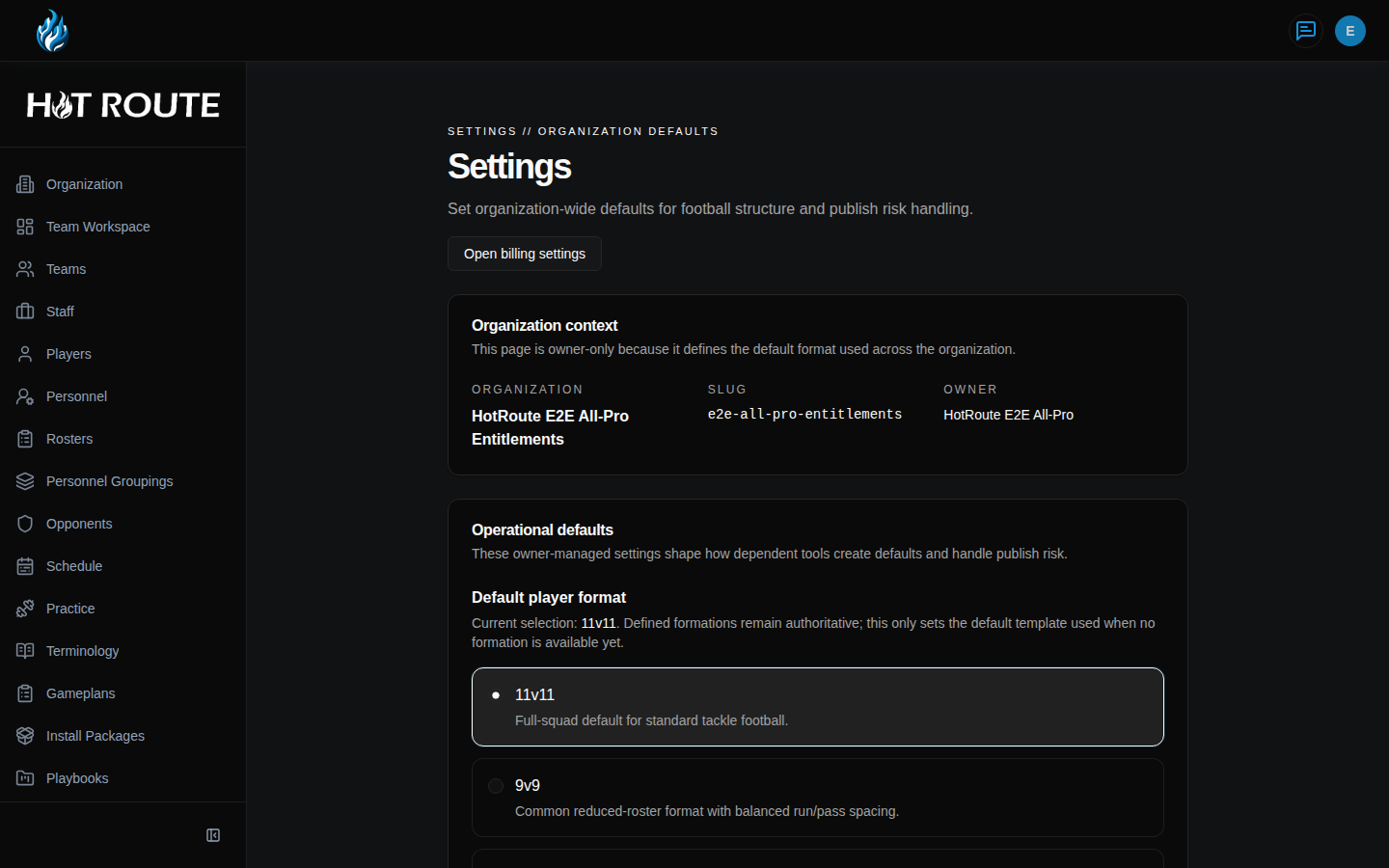
The top of the page shows Settings // Organization Defaults and an Open billing settings button.
The Organization context card shows the organization, slug, and owner so you know which organization you are changing.
The Operational defaults card includes:
- Default player format for the usual players-per-side structure
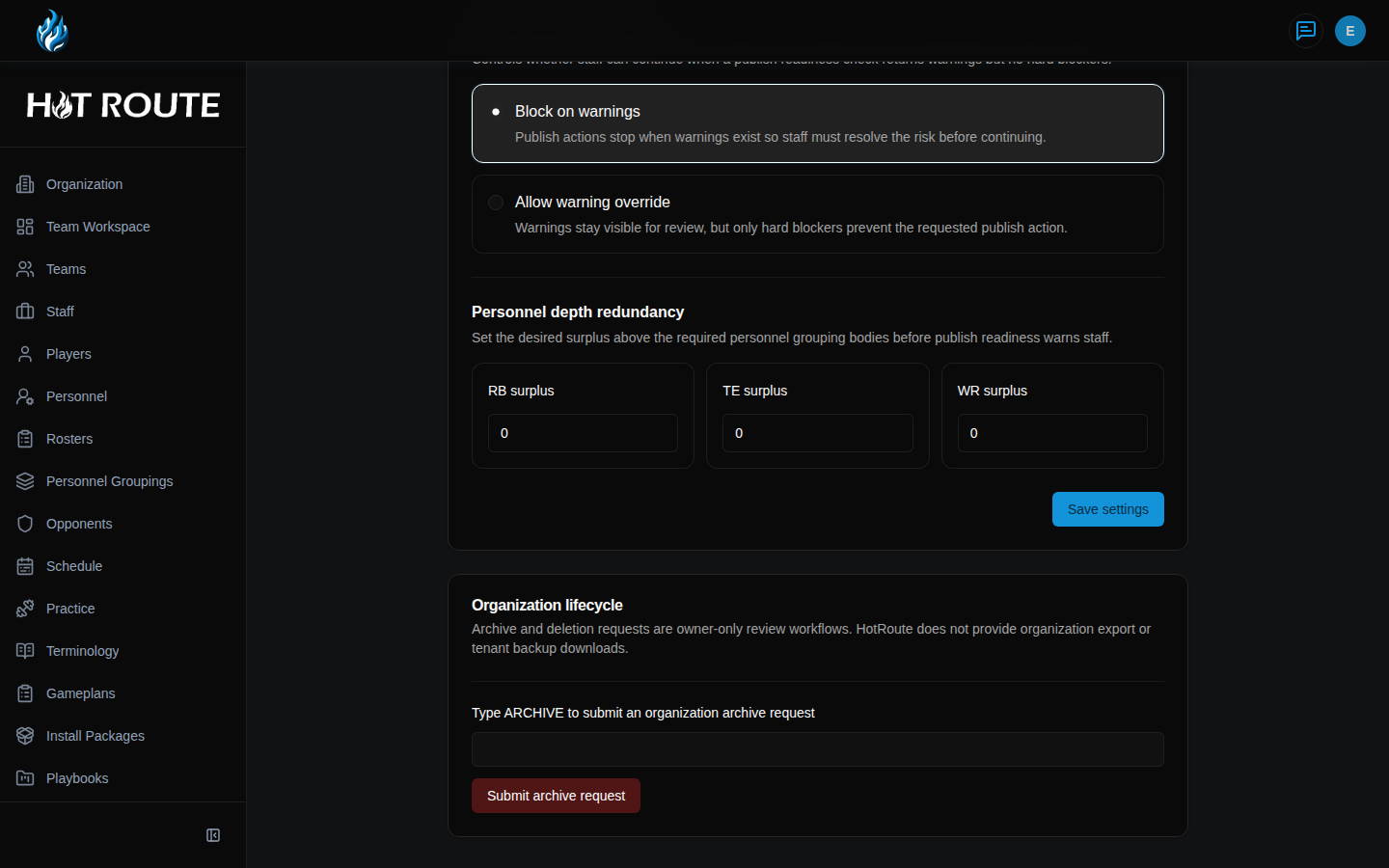
- Publish warning handling for whether warning states block publish actions
- Personnel depth redundancy for RB, TE, and WR surplus expectations
The Organization lifecycle card lets an owner submit an organization archive request by typing ARCHIVE.
Step-by-step instructions
- Sign in as the organization owner.
- Click the user circle in the top-right corner.
- Click Settings.
- Confirm the page heading says Settings and the small label says Settings // Organization Defaults.
- Review Organization context before making changes.
- In Default player format, choose the player format HotRoute should use as the organization default.
- In Publish warning handling, choose Block on warnings or Allow warning override.
- In Personnel depth redundancy, set the desired RB surplus, TE surplus, and WR surplus.
- Click Save settings.
- Confirm HotRoute shows Organization settings saved.
- To request organization archive review, scroll to Organization lifecycle.
- Type ARCHIVE in the confirmation field.
- Click Submit archive request.
- To open billing, return to the top of Settings.
- Click Open billing settings.
What good looks like
Healthy organization defaults are easy for an owner to explain to the staff.
The owner should be able to answer:
- Which organization am I changing?
- What player format should HotRoute start from?
- Should publish warnings stop staff, or can staff continue after reviewing them?
- What surplus depth should trigger personnel readiness warnings?
- Is there any active organization lifecycle request?
Common questions or mistakes
Why can I not see Settings?
Settings are owner-only for launch. Ask the organization owner to review or change organization defaults.
Does Default player format override every formation?
No. Defined formations remain the authority. This setting is the default template when no more specific formation is available yet.
Should I choose Allow warning override?
Choose it only when your staff expects warnings to remain visible but not automatically block every publish action. Hard blockers still stop the action.
Does submitting an archive request immediately delete the organization?
No. It starts an owner-only review workflow.
Related docs / next steps
Read Billing Settings when the next task is plan or payment management.
Read Organization Configuration when the next task is member access, invite paths, service accounts, or current season setup.
Read Organization Standards when the next task is managing philosophy, identity, standards, constraints, or active adoptions.
Read Home Dashboard and Navigation if you need to find Settings from the user menu.