


Feature Guides
Playbooks
Learn how HotRoute playbooks organize team, season, unit, systems, concepts, archetypes, and plays into one reusable football scope.
Overview / Purpose
A playbook is the scope that keeps a staff's football work tied to the right team, season, and unit.
Use playbooks to hold the organized body of plays and the supporting football objects that explain how the staff thinks: systems, concepts, archetypes, rules, tags, and related records.
Who this is for
This page is for coaches and staff who create, review, or maintain playbook structure.
It is especially useful for coordinators who need to keep current installs, concept families, and play lists from becoming disconnected notes.
What to know first
Create the playbook before creating plays, systems, concepts, or archetypes that should belong to that playbook.
A playbook is not just a file or PDF. In HotRoute, it is a structured football scope that can connect to related objects and downstream outputs.
Archived playbooks should be treated as historical or retired working context. They should not be used as the active place for a current install.
How it works
This guide covers these routes:
| App route | What it is for |
|---|---|
/playbooks | List playbooks visible in the current organization scope. |
/playbooks/new | Create a new playbook when the staff has the right access. |
/playbooks/[playbookId] | Inspect a playbook, review its details, and open related systems, concepts, archetypes, and plays. |
The list page is the fastest way to find a playbook. The detail page is the better place to understand what that playbook owns and where to go next.
Step-by-step instructions
- In the left navigation, click Playbooks.
- Review the playbook list.
- Click a playbook row to open the detail page.
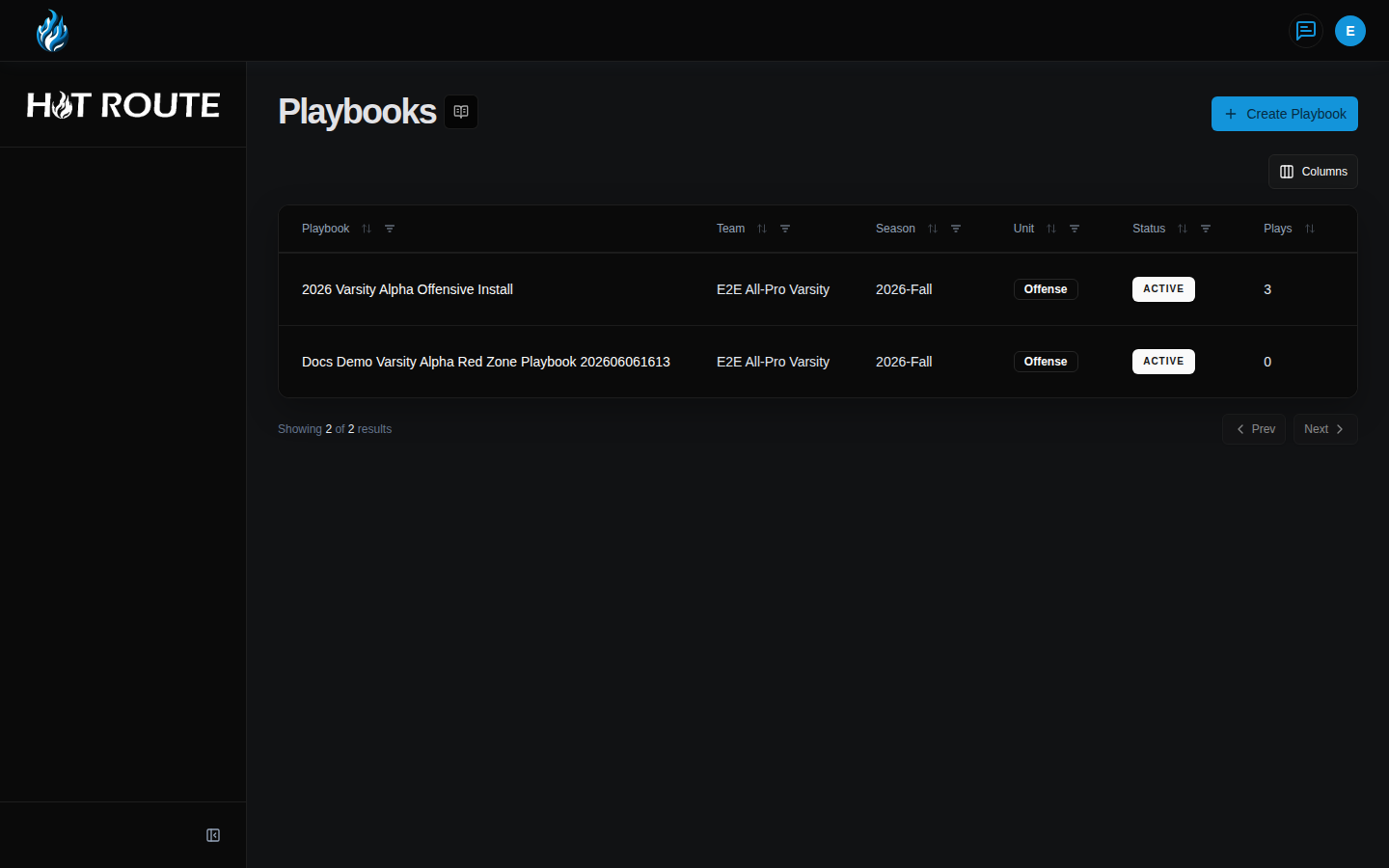
- On the detail page, review the team, season, unit, status, and description.
- Use the related-object sections to open Systems, Concepts, Archetypes, or Plays linked to the playbook.
- Click Create Playbook when you need a new scope.
- On New Playbook, enter a name the staff will recognize.
- Choose the team, season, and unit carefully. Those fields shape which downstream football objects belong to the playbook.
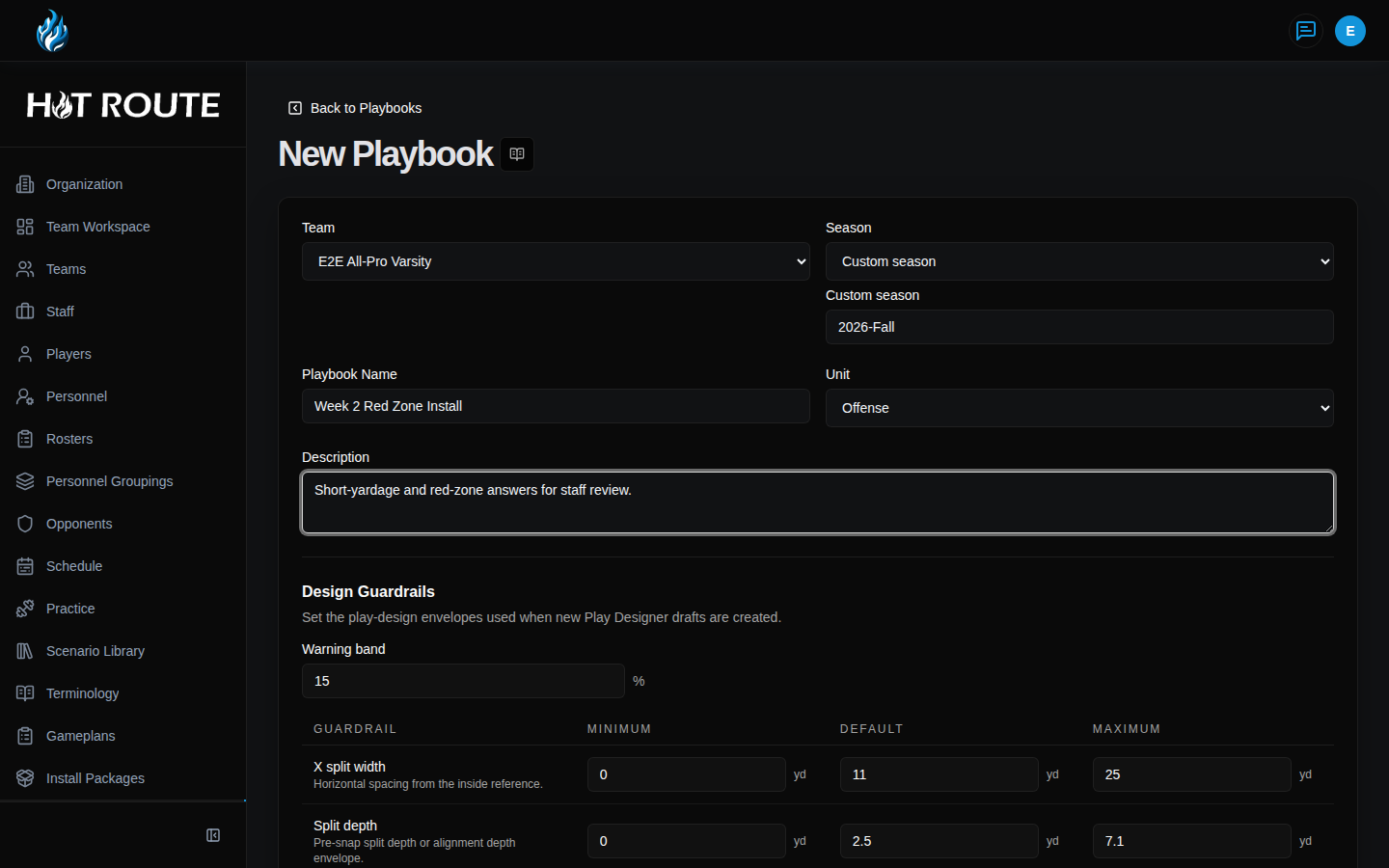
- Add a description that explains the staff purpose, not just a generic label.
- Save the playbook, then create the supporting systems, concepts, archetypes, and plays from the playbook detail page or Playbook Manager.
What good looks like
A good playbook is easy for a staff member to explain.
It should make clear:
- which team, season, and unit it belongs to
- why this playbook exists
- which systems and concepts shape it
- which player archetypes matter for the install
- which plays are available for current work
- whether the playbook is active or archived
Common questions or mistakes
Can one playbook cover every unit?
Use the unit value intentionally. If offense, defense, and special teams need different working truth, they should not be collapsed just to reduce the number of records.
Should a playbook detail page be used for weekly sequencing?
No. A playbook explains the reusable football scope. Weekly sequencing and callsheet output should consume playbook truth instead of rewriting it.
Can a detail page show related objects from another playbook?
Related objects should stay inside the selected playbook scope unless the product explicitly shows a linked, visible relationship.
Related docs / next steps
Use Playbook Manager when you need a broader hub for the playbook's related objects.
Read Systems, Concepts, and Archetypes when the next step is adding supporting football structure.
Read Plays when the next step is creating or inspecting individual plays.