


Feature Guides
Callsheets
Learn how HotRoute callsheets turn visible playbook context into formatted, coach-reviewed output without becoming the source of truth.
Overview / Purpose
Callsheets help staff arrange visible playbook content into a formatted output such as a callsheet, wristband card, or playbook-style print view.
The important rule is simple: callsheet output is derived. It helps coaches carry information into practice or game preparation, but it does not become the upstream source of truth for the playbook or play.
Who this is for
This page is for coordinators, analysts, and staff operators who prepare printed or rendered football output.
It is also useful for organization owners and integration users who need a safe explanation of the callsheet render API behavior without raw implementation details.
What to know first
Callsheets should consume visible, approved playbook context. They should not copy hidden customer data, secret keys, private IDs, billing details, or vendor response details into output.
The saved layout and rendered output can be reviewed by staff, but the playbook, play, and published version context remain authoritative.
How it works
This guide covers these routes and functions:
| App route or function | What it is for |
|---|---|
/callsheets | Build or review callsheet-style output from visible plays. |
/api/callsheets/render | App-owned render behavior for callsheet output. |
/api/v1/callsheets/render | Governed customer API render behavior for approved service-account use. |
In coach-facing terms, rendering means HotRoute formats selected football context into an output artifact. It does not approve a play, publish a playbook, or rewrite canon.
Step-by-step instructions
- In the left navigation, click Callsheets.
- Confirm the selected playbook or working scope contains the plays the staff expects.
- Choose the output type, such as Callsheet, Wristband, or Playbook.
- Use the play library and filters to find the plays that belong on the output.
- Add plays into the layout.
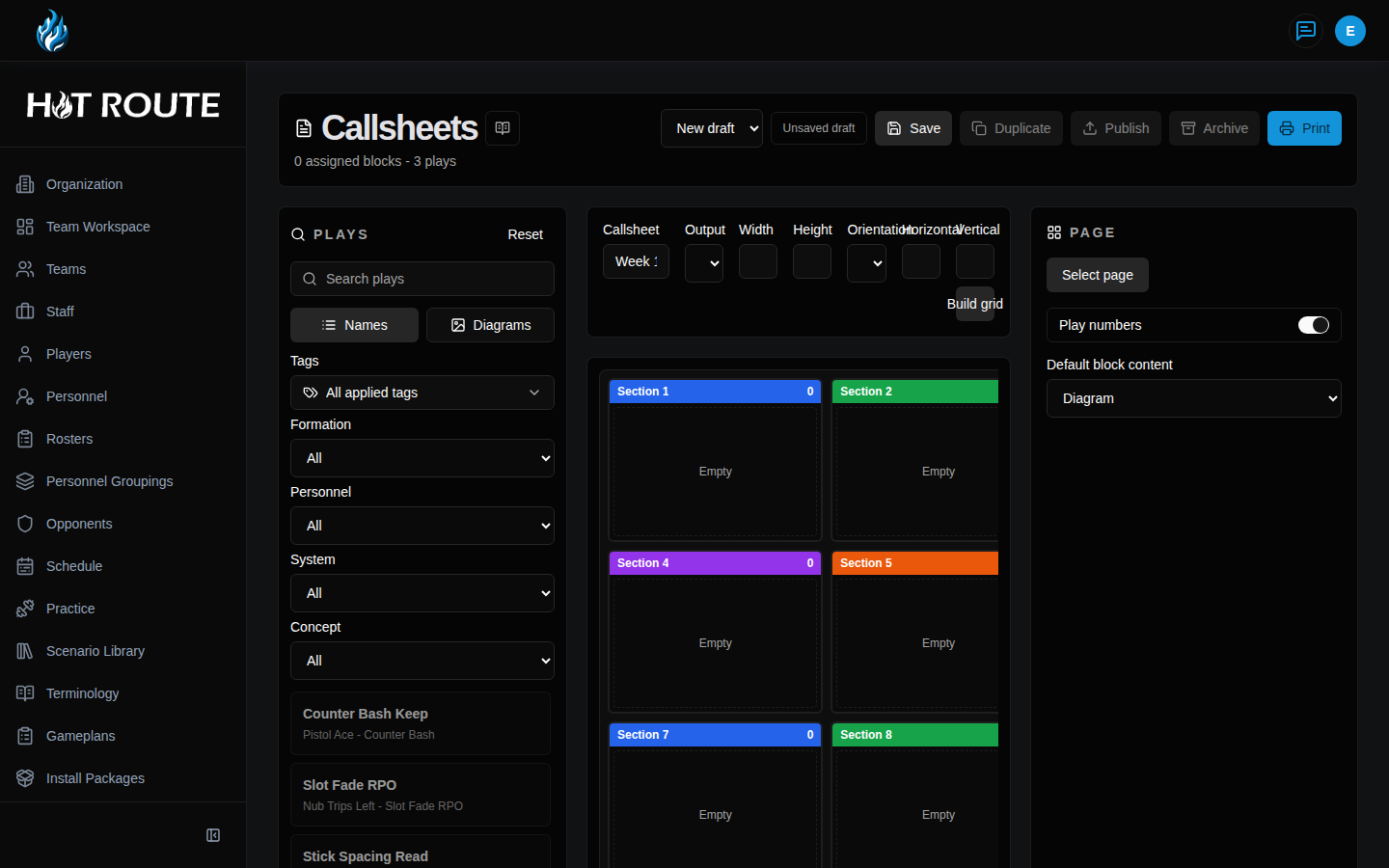
- Reorder, resize, or remove blocks until the output matches the staff's purpose.
- Review the print preview before saving or publishing a layout.
- Save the draft layout when the work needs to be reused.
- Publish or render only when the layout is ready for the intended audience.
- Treat the rendered output as a formatted artifact. Return to the playbook or play detail page when the underlying football truth needs to change.
What good looks like
A good callsheet output is easy to use and easy to trace.
Staff should be able to answer:
- Which playbook or play scope did this output come from?
- Which plays were intentionally selected?
- Which layout is draft, saved, or published?
- Is this output for a callsheet, wristband, or playbook-style view?
- Where should the staff go if the underlying play needs to change?
Common questions or mistakes
Does callsheet rendering make a play authoritative?
No. Rendering formats output. The playbook and published play/version context remain the source of truth.
Can an outside tool render callsheets?
Only through approved governed API access, with service-account scope, entitlement, rate-limit, and safe-error checks. Do not treat a service-account key as a broad staff login.
Should client-supplied play content be trusted as the callsheet source?
No. Render behavior should use HotRoute-owned visible objects and approved refs, not arbitrary client-supplied football truth.
Related docs / next steps
Read Play Grid when the staff needs to browse or select plays before output.
Read Plays for the play records behind callsheet blocks.
Read Retrieval and Search for safe customer-agent citation and API boundaries.
Read External API when a technical partner needs the customer-safe callsheet route posture.