


Feature Guides
Install Packages
Learn how HotRoute install packages collect approved plays and concepts into coach-reviewed weekly install material.
Overview / Purpose
An install package is a curated set of football material for a teaching or preparation objective.
Use install packages when a staff needs to collect approved plays, concepts, or related football objects before that material appears in a gameplan, practice plan, meeting plan, or printed packet.
Who this is for
This guide is for coordinators, position coaches, analysts, and staff operators who prepare and maintain install material.
It is also useful for reviewers who need to understand why a play or concept is part of the week.
What to know first
Install packages should consume visible, approved football canon. They should not become a second playbook, and they should not rewrite a play or concept just for one week.
Use the package to explain the purpose of the install, collect the right members, and publish a reviewed version. Use the underlying playbook, play, concept, or system page when the source football truth needs to change.
How it works
This guide covers these routes:
| App route | What it is for |
|---|---|
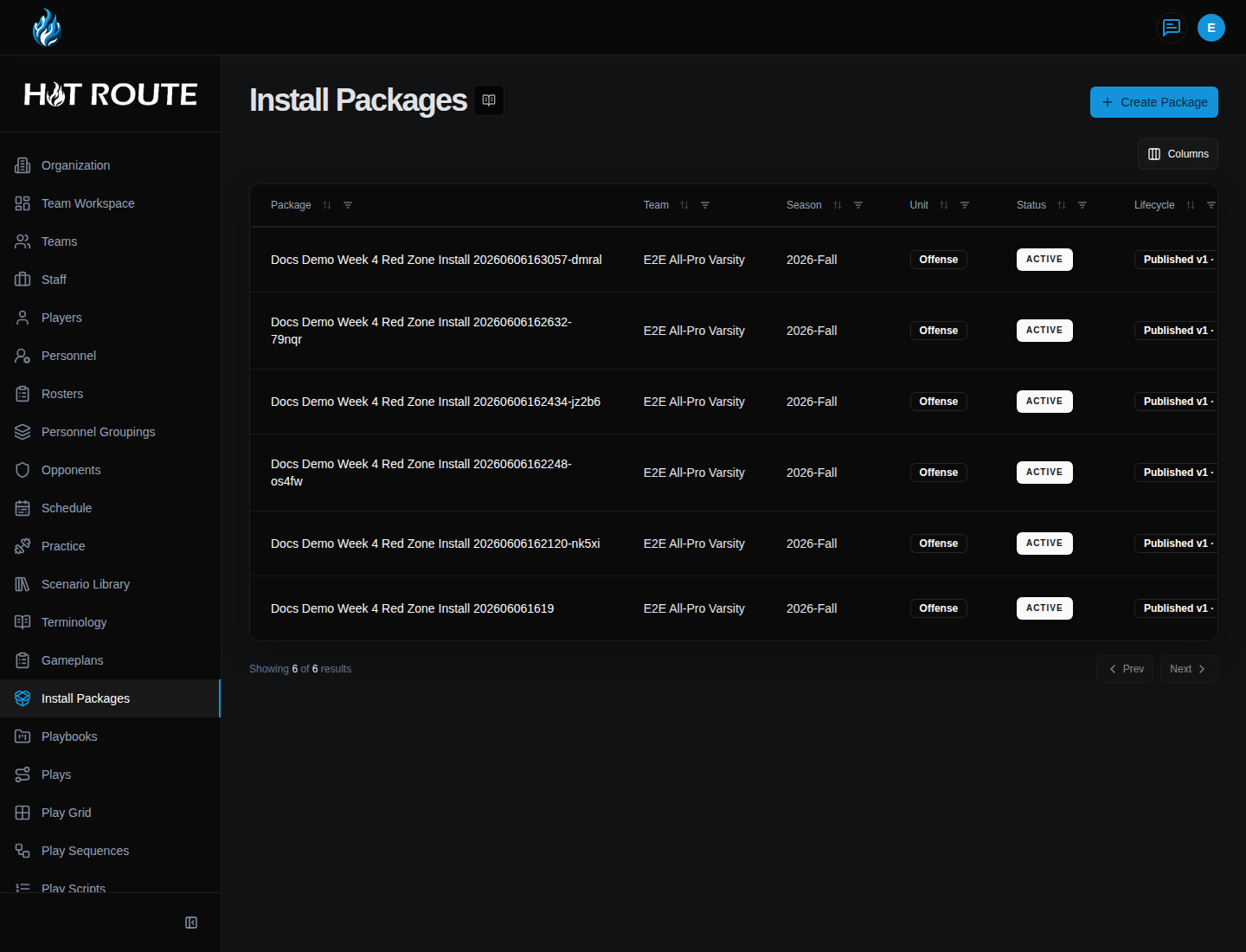
/install-packages | List install packages and open a package. |
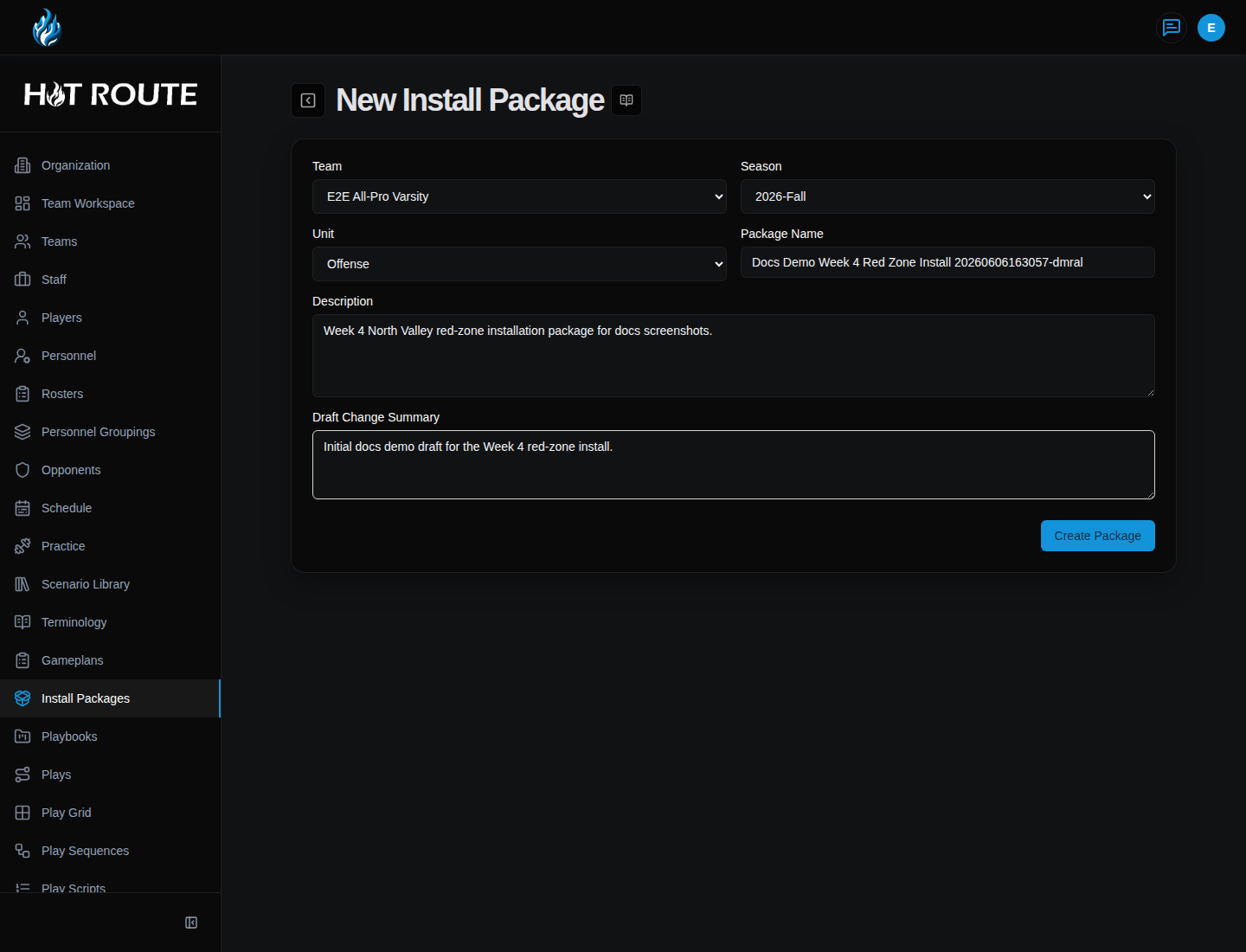
/install-packages/new | Create a new install package. |
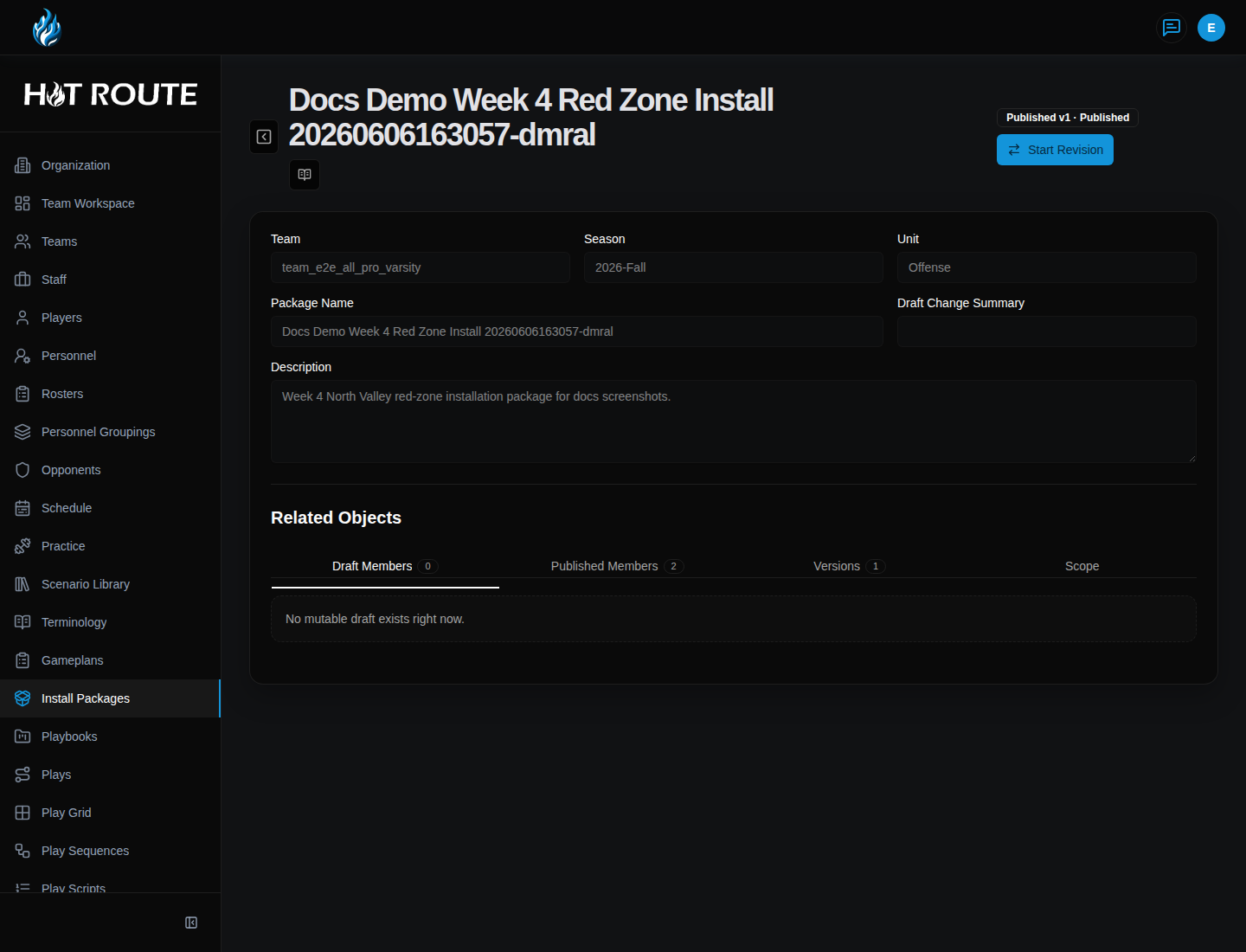
/install-packages/[packageId] | Review package details, add members, and move the package through review. |
The package list is the fastest place to find current install material. The detail page is where staff add members, review lifecycle state, and publish the package when it is ready.
Step-by-step instructions
- In the left navigation, click Install Packages.
- Review existing packages for the current team, season, unit, and lifecycle state.
- Click a package row to open it, or click Create Package.
- On New Install Package, choose Team, Season, and Unit.
- Enter a Package Name that explains the install, such as
Week 4 Red Zone Install. - Add a Description that tells the staff why the package exists.
- Use Draft Change Summary to explain the first draft.
- Save the package.
- On the package detail page, review the package header and lifecycle state.
- Choose whether the next member is a Play or Concept.
- Select the visible, approved football object that belongs in the package.
- Click Add Member.
- Review the member list for duplicates or items that do not fit the install purpose.
- Save the draft when the package is still being assembled.
- Submit for review when the package is ready for staff review.
- Publish only after the staff has approved the package for downstream use.
How install packages relate to the week
Install packages sit between reusable canon and weekly execution.
They help staff answer:
- What are we installing or emphasizing this week?
- Which plays and concepts belong together?
- Which material has been reviewed?
- Which gameplan, practice plan, or packet should consume this package?
- Where should a coach go if the underlying play or concept needs to change?
What good looks like
A good install package is narrow enough to teach and clear enough to reuse.
It should include:
- a coach-readable package name
- the correct team, season, and unit
- a clear teaching or preparation purpose
- visible, approved members
- a review state the staff understands
- a published version before downstream use
Common questions or mistakes
Should I create a package for every play in the playbook?
No. A package should support a specific install, emphasis, or teaching job. The playbook remains the broader source of truth.
Can a package member come from hidden or unpublished canon?
Do not rely on hidden or unreviewed source objects for staff-facing install work. If the object needs approval, review it at the source first.
Can I use the package before it is published?
Draft work can support preparation, but downstream staff use should rely on reviewed and published package context when that path is available.
Related docs / next steps
Read Gameplans and Print Exports when the next job is sequencing the package into the week.
Read Playbooks when the package needs better source structure.
Read Plays or Systems, Concepts, and Archetypes when a package member needs source edits.