


Feature Guides
Gameplans and Print Exports
Learn how HotRoute gameplans organize the weekly preparation plan, review callsheets and scripts, and produce coach-reviewed print or PDF artifacts.
Overview / Purpose
A gameplan is the weekly preparation workspace that turns staff intent into organized, reviewable football output.
Use a gameplan to collect the install package, callsheet menu, scripts, rules, constraints, and review artifacts for a specific team, season, opponent, unit, and week. The gameplan helps staff prepare and teach. It is not a live sideline recommendation system.
Who this is for
This guide is for coordinators, analysts, head coaches, and staff operators who prepare the week and need one place to review what will be installed, practiced, scripted, and printed.
It is also useful for staff members who receive a printed callsheet, wristband, or install packet and need to know where that artifact came from.
What to know first
Gameplans roll up to the football system of record for the organization. Access depends on the organization, role, team, season, and subscription feature gates.
Published gameplan versions are the stable review point. Print and PDF output should be treated as a formatted artifact derived from the reviewed gameplan snapshot, not as a new source of football truth.
Use Install Packages before or alongside gameplans when the staff needs a reusable collection of plays or concepts for the week.
How it works
This guide covers these routes:
| App route | What it is for |
|---|---|
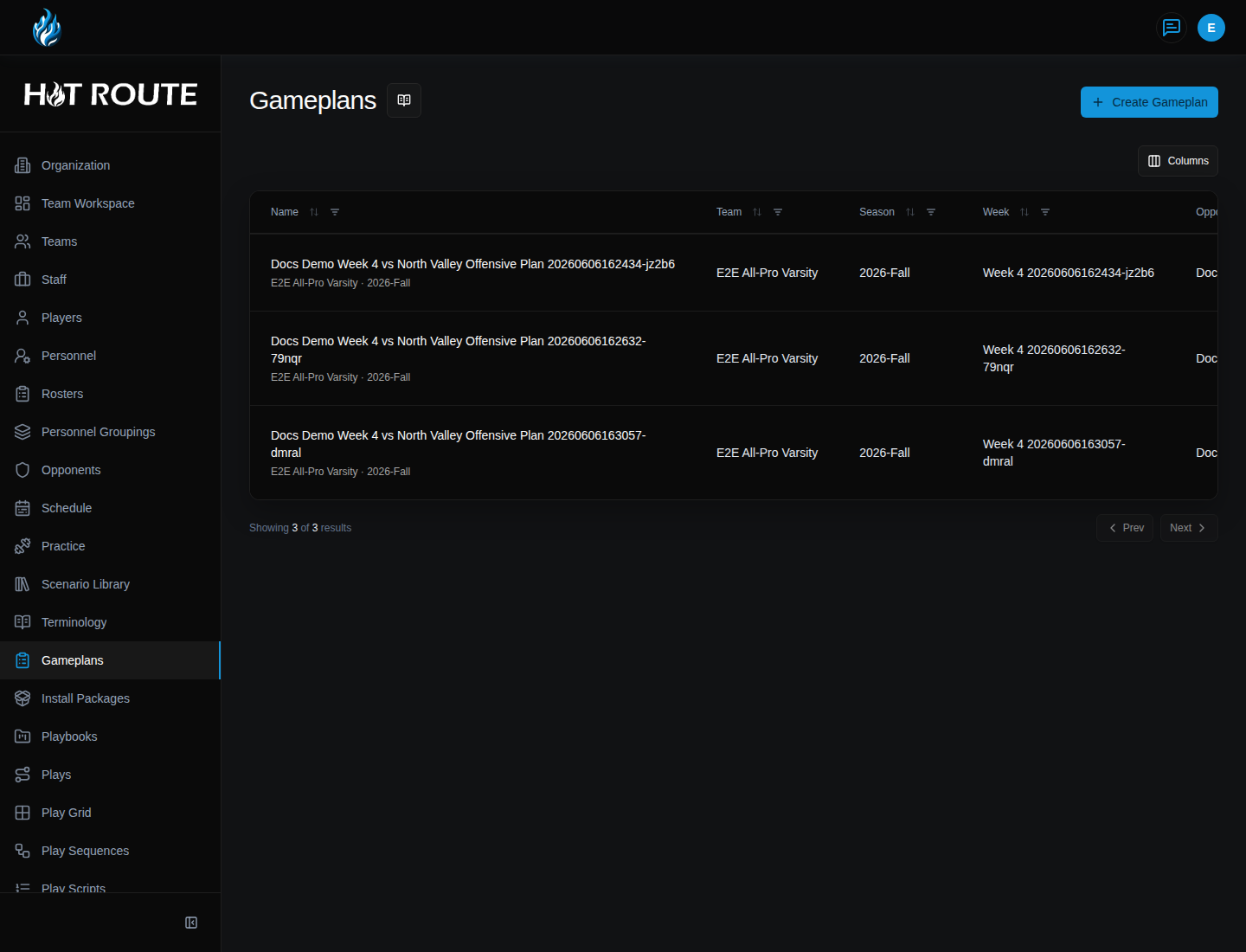
/gameplans | List gameplans and start a new weekly plan. |
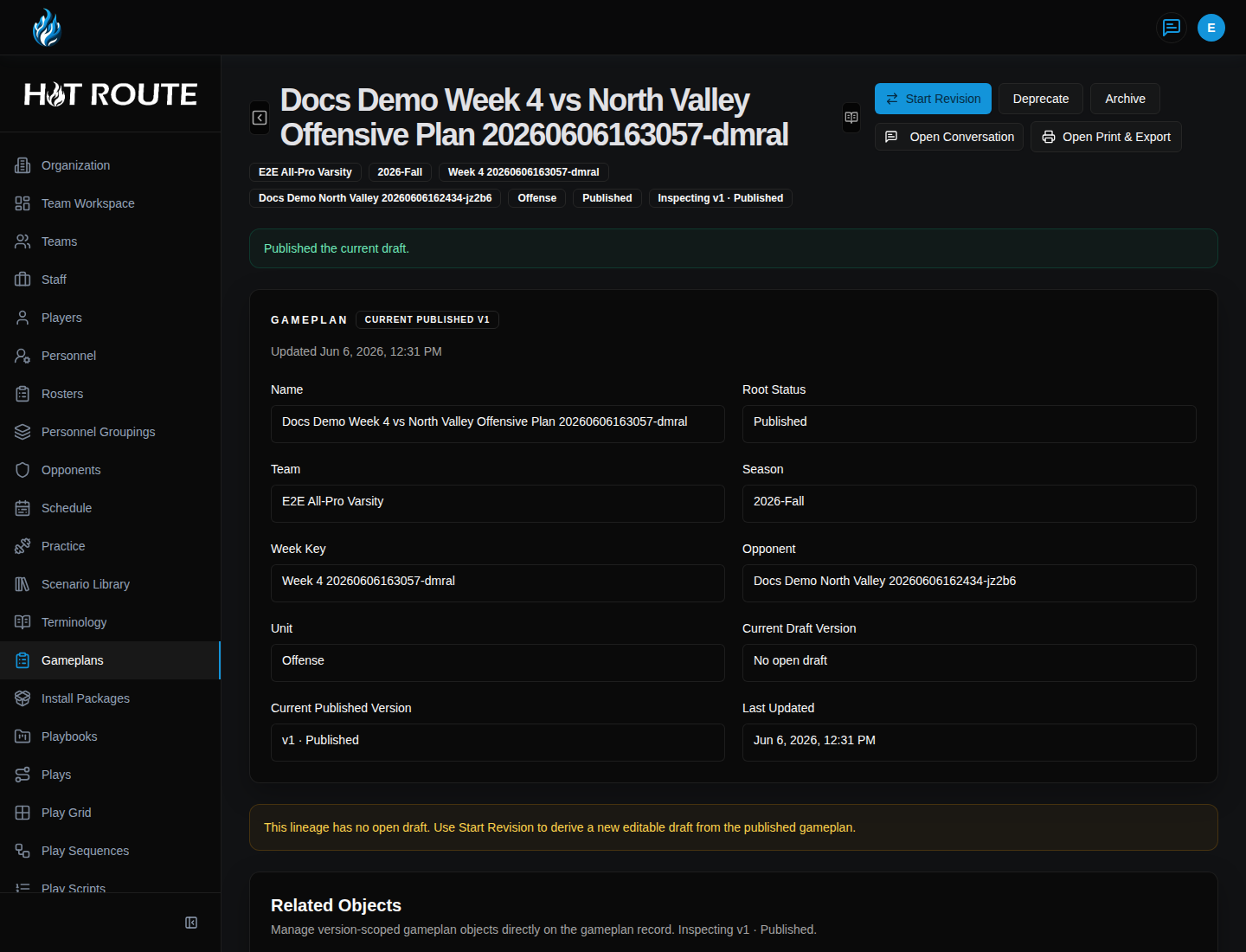
/gameplans/[id] | Review the callsheets, menus, scripts, rules, artifacts, and versions for one gameplan. |
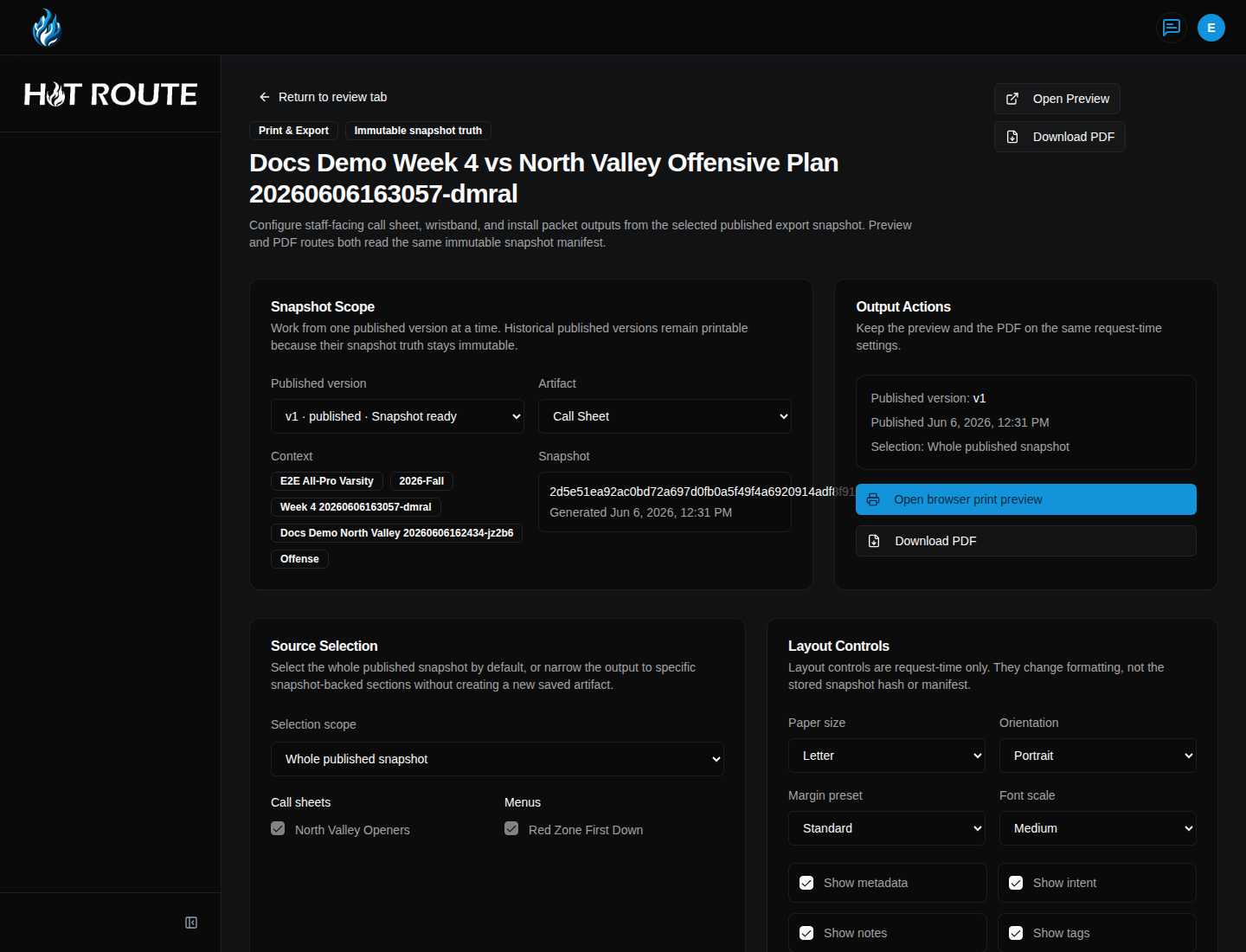
/gameplans/[id]/print | Review print-ready artifact choices for a published gameplan snapshot. |
/gameplans/[id]/print/[artifact] | Open a print preview for one artifact type. |
/gameplans/[id]/print/[artifact]/pdf | Download the PDF version of one supported artifact. |
The detail page is where staff work. The print routes are output routes that help staff carry reviewed context into meetings, practice, or game preparation.
Step-by-step instructions
- In the left navigation, click Gameplans.
- Review the list for the team, season, opponent, unit, and week you need.
- Click an existing row to open the gameplan, or click Create Gameplan.
- On the create form, choose Team, Season, Opponent, and Unit.
- Enter a week key or name the staff will recognize, such as
Week 4 vs North Valley. - Save the gameplan.
- On the gameplan detail page, open Callsheets & Menus to review what belongs on the weekly callsheet or menu.
- Open Scripts to review practice, install, or situational script work tied to the week.
- Open Rules & Constraints to check staff constraints before the plan is treated as ready.
- Open Review Artifacts to confirm the print or export artifacts that can be produced.
- Open Versions when the staff needs to understand which reviewed snapshot is current.
Print and PDF output
Print and PDF output is for reviewed, coach-controlled artifacts. It should help the staff carry the weekly plan into a meeting, practice field, or game-prep packet.
| Artifact | What staff should expect |
|---|---|
| Call Sheet | A formatted call sheet view from the reviewed gameplan context. |
| Wristband | A compact artifact intended for wristband-style references. |
| Install Packet | A packet-style output for the install material tied to the gameplan. |
To produce an artifact:
- From the gameplan detail page, open Review Artifacts.
- Choose the print or export action for the artifact.
- On the print page, confirm the artifact name and reviewed gameplan context.
- Click Open Preview to inspect the artifact in the browser.
- Use the browser print controls when a paper copy is needed.
- Click Download PDF when the staff needs a PDF file.
- Review the output before sharing it. The artifact should show the selected artifact type, the gameplan context, and coach-readable football content.
What good looks like
A good weekly gameplan makes the staff sequence obvious.
Staff should be able to answer:
- Which team, season, opponent, unit, and week is this plan for?
- Which install package or football content is being emphasized?
- Which callsheet menu and scripts belong to the week?
- Which rules or constraints need review before staff use the plan?
- Which version is the reviewed snapshot for print or PDF output?
Common questions or mistakes
Is a gameplan a live recommendation tool?
No. A gameplan is a preparation and review workspace. It supports staff judgment before practice or game day.
Can I edit a PDF to change the football truth?
No. Update the gameplan, install package, playbook, play, or related source record. Then regenerate output from the reviewed source.
Why do I not see a gameplan or print action?
The object may belong to a different organization, team, season, role, or subscription feature. Ask an owner or staff authority lead to check access and lifecycle state.
When should I use install packages instead of gameplans?
Use install packages to curate reusable install material. Use gameplans to sequence that material into a specific week.
Related docs / next steps
Read Install Packages when the next job is preparing the weekly install material.
Read Practice and Drill Library when the next job is turning the gameplan into periods, blocks, and drills.
Read Coordinate the Week for the full weekly preparation rhythm.