


Feature Guides
Authority Workspace
Learn how owners and trusted staff use Authority Workspace to review team-season responsibility coverage, align staff work, and open registry or delegation follow-up.
Overview / Purpose
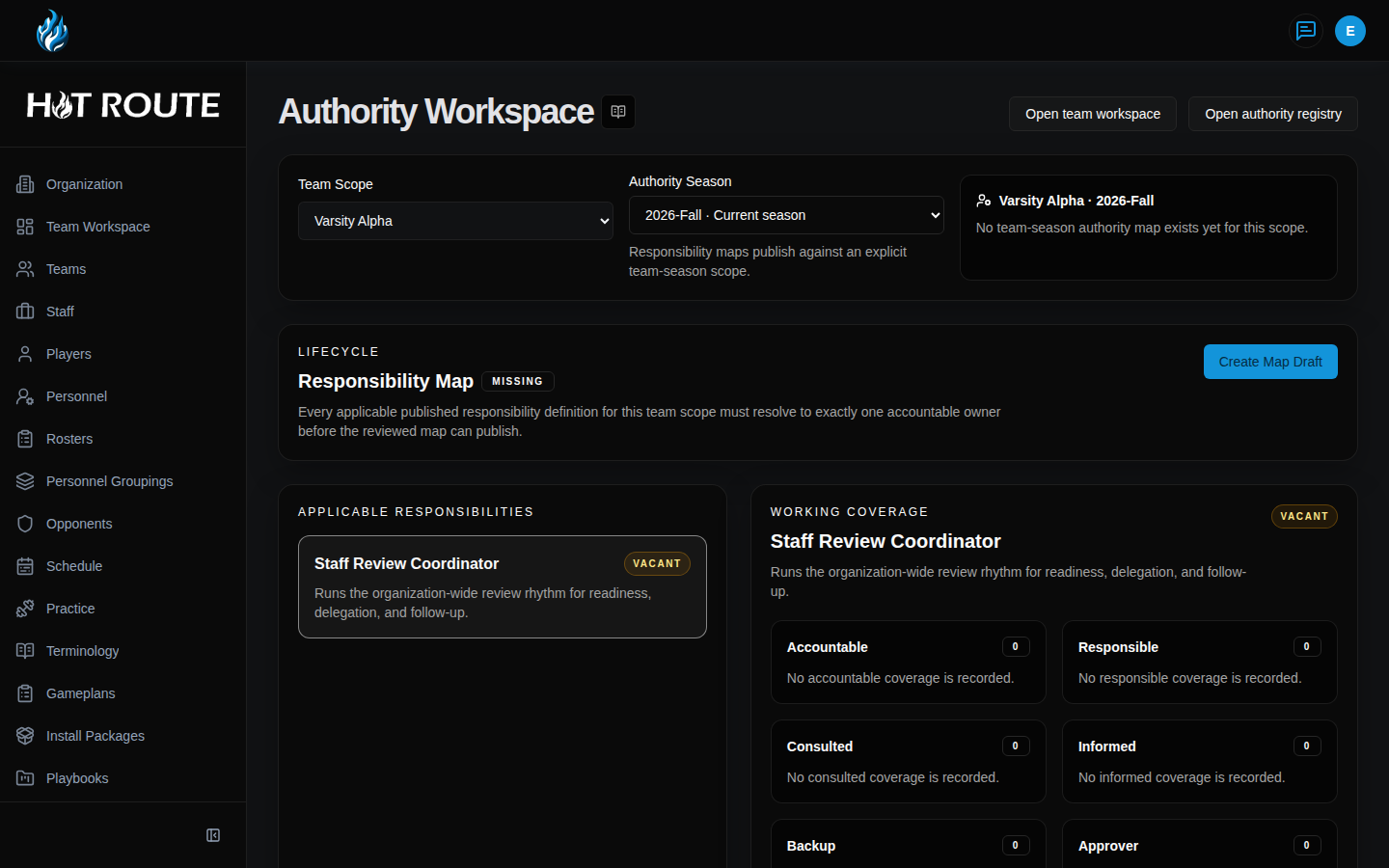
Authority Workspace is the team-season view of staff responsibility.
Use it when the staff needs to see which responsibilities are covered, where ownership is unclear, and which registry definitions, roles, or delegations need follow-up before the week depends on them.
The workspace is not a generic org chart. It is a football operating surface for responsibility, alignment, review, and delegation.
Who this is for
This page is for organization owners, head coaches, coordinators, and trusted staff operators who help keep team-season responsibility clear.
In football terms, this belongs to the people who need to know who owns the next step before the staff moves from planning into execution.
What to know first
You must be signed in with organization context before Authority Workspace can load.
Authority Workspace access is limited to organization owners and staff members whose role allows staff authority management. If your role does not allow access, HotRoute shows recovery guidance instead of the workspace.
Authority Workspace depends on the Authority Registry. The registry defines responsibilities. The workspace uses those definitions to reason about team-season coverage.
Authority Roles describe reusable staff seats. Authority Delegations describe explicit responsibility handoffs. Those concepts are related, but they are not the same thing.
The /team-workspace/staff-authority route opens Authority Workspace and carries the selected team and season into that workspace. Use it when you are already working from a team workspace and need the staff-authority view for that team.
Advanced workflow gates should be treated as visible only when HotRoute shows them for your organization and route. If a gate is not visible, do not assume that workflow is active for your team.
How it works
Authority Workspace brings responsibility into the same place as the team and season context.
Use it to:
- Review the responsibility map for the active team-season context.
- Spot missing or unclear coverage before a weekly workflow depends on it.
- Open the registry definition behind a responsibility.
- Review the role or person currently connected to the responsibility.
- Move into delegation follow-up when ownership needs to be accepted, checked, completed, or revoked.
The organization-level registry answers: "What does this responsibility mean?"
The team-season workspace answers: "Who is expected to own this responsibility for this football context right now?"
Step-by-step instructions
- Sign in to HotRoute.
- Open Authority Workspace from the app navigation.
- If you are working from a team context, open Team Workspace, then Staff Authority.
- Confirm you are in the right organization, team, and season.
- Review the visible responsibility coverage before changing anything.
- Open the related responsibility definition when the meaning of a responsibility is unclear.
- Open the related role when the staff seat or role purpose needs review.
- Open the related delegation when the responsibility is being handed off, accepted, checked, completed, or revoked.
- Use collaboration links only when they point to football objects you are already allowed to see.
- Leave advanced workflow gates alone unless the control is visible and the staff has agreed that the gate reflects the real operating state.
What good looks like
A healthy Authority Workspace gives the staff a shared answer before the week depends on informal memory.
The staff should be able to answer:
- Which team and season is this authority view about?
- Which responsibilities are covered?
- Which responsibilities need follow-up?
- Which role or person currently owns each responsibility?
- Which responsibility definition explains the work?
- Which delegations are proposed, accepted, at risk, blocked, completed, or revoked?
Common questions or mistakes
Is Authority Workspace the same as Authority Registry?
No. Authority Registry defines responsibilities. Authority Workspace applies those definitions to a team-season operating context.
Is this the place to add new members?
No. Use Invite Code or the organization member controls when the work is adding people. Authority Workspace is for responsibility coverage.
Does an owner automatically own every football responsibility?
No. Organization ownership is not the same as football authority. HotRoute keeps staff responsibility explicit so review and delegation remain clear.
Should advanced gates be documented as always available?
No. Some high-trust workflow controls are visible only when the organization, route, and validation state support them.
Related docs / next steps
Read Staff Authority when the responsibility definition itself needs to be created, reviewed, or published.
Read Authority Roles when the staff needs reusable role language before assigning people to work.
Read Authority Delegations when a responsibility is being handed from one person to another.
Read Object-Linked Collaboration when the responsibility discussion needs to stay attached to the visible football object under review.