


Administration
Organization Standards
Learn how organization owners and staff use the Standards Workspace to manage philosophy, identity, standards, constraints, and team-season adoptions.
Overview / Purpose
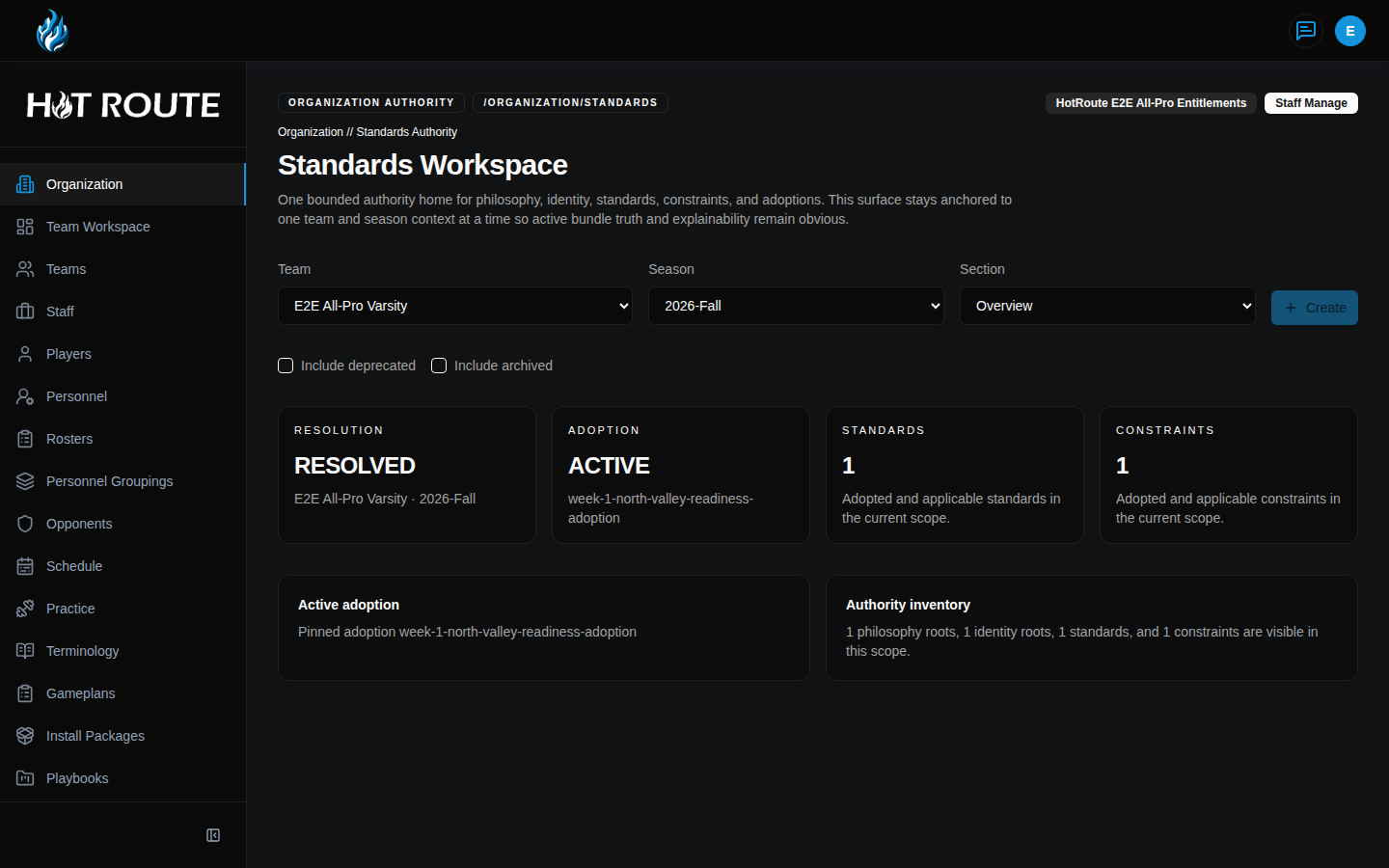
Organization Standards is where HotRoute keeps the football truth that should guide a team or season.
Use it to manage program philosophy, team identity, performance standards, constraints, and adoptions. In coaching terms, this is the place to keep "what we believe," "who we are," "what we expect," "what we will not violate," and "what is active for this team and season."
The live product route is /organization/standards. The detail routes open from rows inside the workspace when philosophy, identity, standards, constraints, or adoptions exist.
Who this is for
This page is for owners and trusted staff who are accountable for the organization's football standards.
It is especially useful for head coaches, coordinators, operations staff, and anyone responsible for keeping install, teaching, gameplan, and review language aligned.
What to know first
You must be signed in and linked to an organization before the workspace can load.
Owners and staff can manage standards when their role allows it. Other users may see read-only states or recovery guidance depending on their access.
Organization Standards is team-and-season aware. Before judging whether the standards picture is healthy, confirm the selected Team and Season match the football context you care about.
Open Organization Standards from the left navigation. You can also open it from the Organization Configuration page's standards authority entry point, or by entering /organization/standards after your HotRoute site address.
How it works
The Standards Workspace has one main filter row:
- Team chooses the team context.
- Season chooses the season context.
- Section chooses what kind of standards record you are reviewing.
The available sections are:
- Overview: the current team-season standards picture.
- Philosophy: the principles and rationale behind the way the staff wants to operate.
- Identity: traits and mantras that describe who the team is trying to be.
- Standards: performance expectations and observable signals.
- Constraints: rules or guardrails that can advise, warn, or block.
- Adoptions: the active package that ties selected philosophy, identity, standards, and constraints to a team and season.
The workspace includes a Baseline truth setup walkthrough. It checks whether the selected team and season have the context, philosophy, identity, standards, constraints, and adoption needed for a reliable team-season standards bundle.
The walkthrough marks steps as complete, actionable, blocked, or read-only. Use the next actionable step when a head coach or owner needs to establish what the organization believes, who the team is, what the staff expects, what guardrails apply, and which bundle is active.
The summary cards show Resolution, Adoption, Standards, and Constraints for the selected team and season. If HotRoute shows Bundle resolution blocked, the selected team and season do not have a complete active adoption yet.
Detail routes open from the Open button in a row when records exist. Those detail pages keep the focused record's overview, version history, usage, review state, and lifecycle actions together.
Step-by-step instructions
- Open Organization Standards from the left navigation, or open Organization Configuration and click Open standards in the standards authority entry point.
- Confirm the page heading says Organization Standards.
- In Team, select the team you want to review.
- In Season, select the season you want to review.
- Review the Resolution, Adoption, Standards, and Constraints cards.
- If the page says Bundle resolution blocked, read the message before relying on the standards bundle.
- Review Baseline truth setup and open the next actionable step.
- Complete or inspect each setup step in order: context, philosophy, identity, standards, constraints, and adoption.
- In Section, choose Philosophy, Identity, Standards, Constraints, or Adoptions.
- Use Include deprecated or Include archived when you need to review older non-adoption records.
- Use Include superseded or Include retired when the Adoptions section is selected.
- Review the section table. When records exist, click Open on the row you want to inspect.
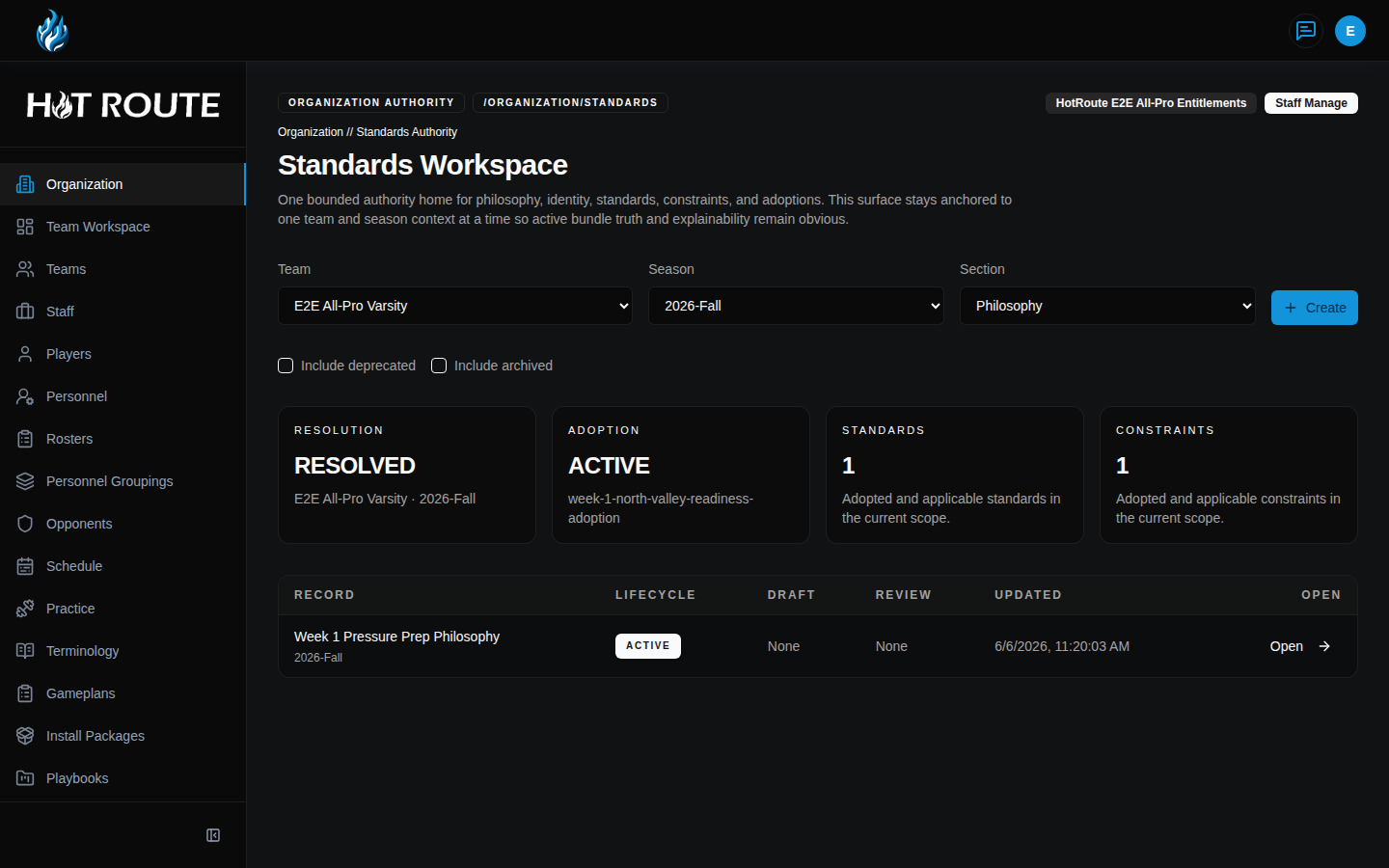
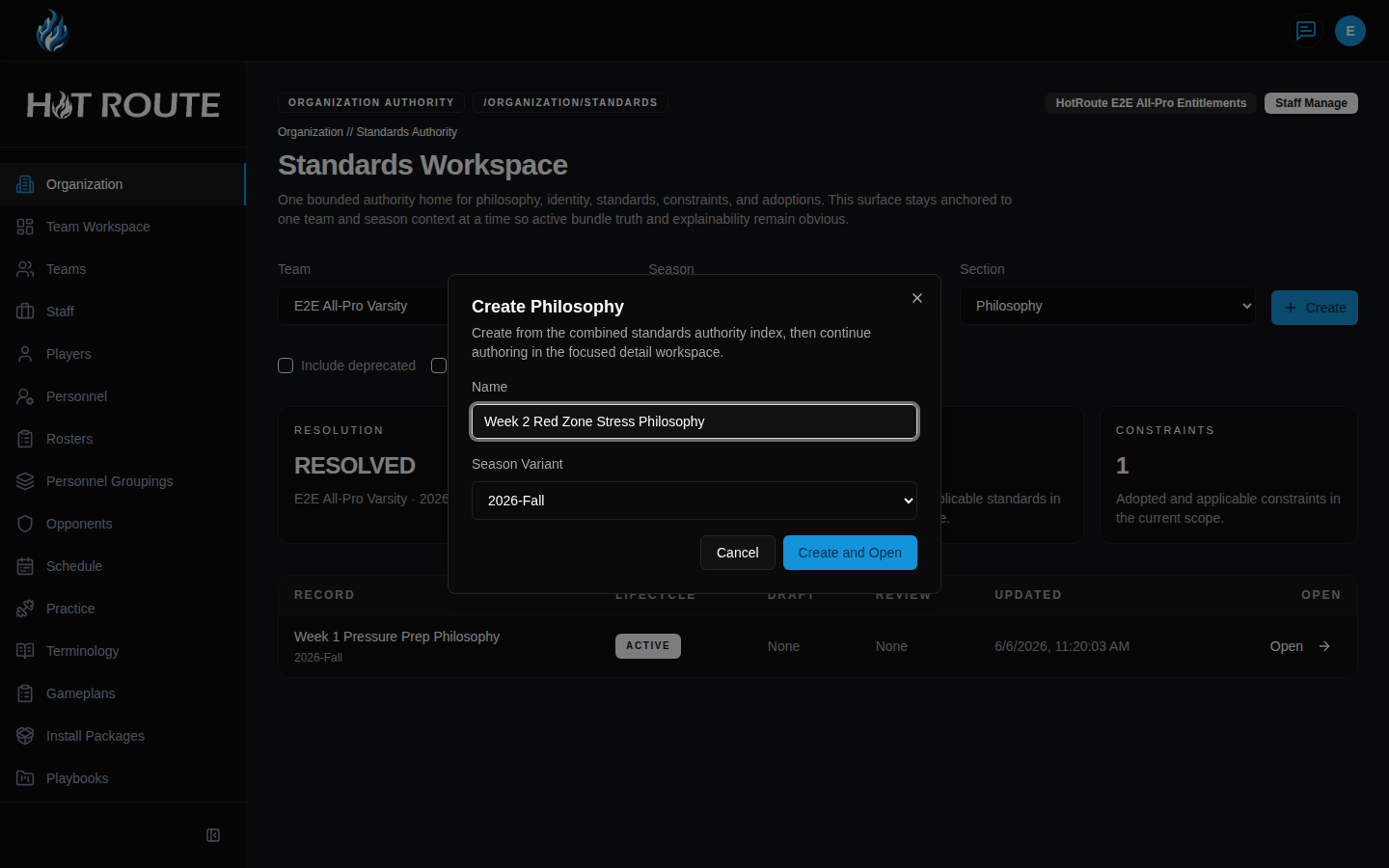
- To create a record, first choose the section that matches the record type. Overview cannot create a record.
- Click Create.
- In the dialog, enter the required name or choose the required versions.
- Click Create and Open.
- On the detail page, use Save Draft while the staff is editing.
- Use Submit for Review when the draft is ready for shared review.
- Use review, publish, deprecate, archive, supersede, or retire actions only when the staff is intentionally changing the active standards picture.
What good looks like
A healthy Organization Standards setup gives the staff a clear standards picture for the current team and season.
The owner or staff lead should be able to answer:
- Which team and season am I reviewing?
- Is there an active adoption for this context?
- Which philosophy and identity version are in use?
- Which performance standards and constraints are active?
- Are there unresolved or blocked states that need attention before the staff relies on the bundle?
- Are old records deprecated, archived, superseded, or retired instead of being confused with active standards?
Common questions or mistakes
Why does the page say Bundle resolution blocked?
The selected team and season do not have a complete active adoption. Create or repair the adoption before treating the bundle as the active standards picture.
What is the difference between Standards and Constraints?
Standards describe expected performance. Constraints describe limits or guardrails the staff does not want to violate.
What is an Adoption?
An adoption is the team-season package that says which philosophy, identity, standards, and constraints are active together.
Should I edit a published record directly?
No. Standards work uses drafts and versions so the staff can keep a clear history. Start a draft or revision, review it, then publish or retire the right record.
Why are some records missing from the table?
Older or inactive records may be hidden by default. Use the include checkboxes when you need to review deprecated, archived, superseded, or retired records.
Related docs / next steps
Read Staff Authority when the next job is defining who owns staff responsibilities.
Return to Organization Configuration when the next job is owner setup, member access, invite paths, service accounts, or current season context.
Read Collaboration Workspace when the staff needs to discuss standards context with shared history.
Read Operations and Orchestration for the broader reason organization standards matter to weekly execution.