


Feature Guides
Play Sequences
Learn how HotRoute play sequences help coaches order plays from one playbook for teaching, constraint building, and preparation workflows.
Overview / Purpose
A play sequence is an ordered list of plays from one playbook.
Use a sequence when the staff wants to teach how plays relate to each other, build a constraint progression, or preserve a preparation order without rewriting the plays themselves.
The sequence is downstream from the playbook. It does not replace the play, playbook, or published version that owns the football truth.
Who this is for
This page is for coordinators, analysts, and staff members who prepare ordered teaching or review progressions.
It is also useful for coaches who need to understand why a sequence can only use plays from one playbook in the current release.
What to know first
A sequence belongs to one playbook. In this release, all selected plays in the sequence must come from that same playbook.
The current launch type is a constraint-builder style list. Use it to preserve football intent and teaching order, not to claim that HotRoute has selected the perfect calls.
Draft and published states are separate. A draft can be edited. A published sequence should be revised before changing the ordered play list.
How it works
This guide covers these routes:
| App route | What it is for |
|---|---|
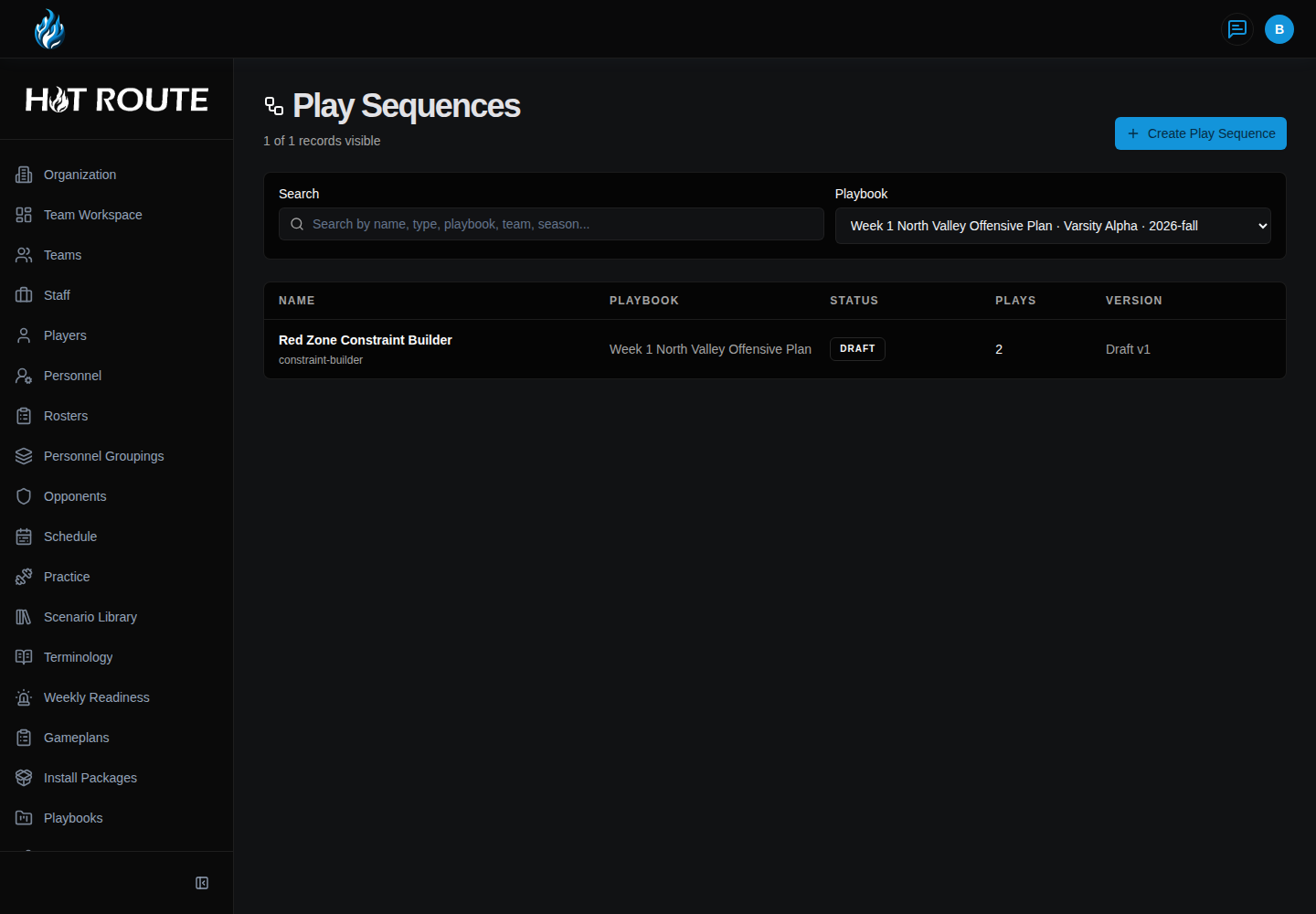
/play-sequence | List sequence records, search them, and filter by playbook. |
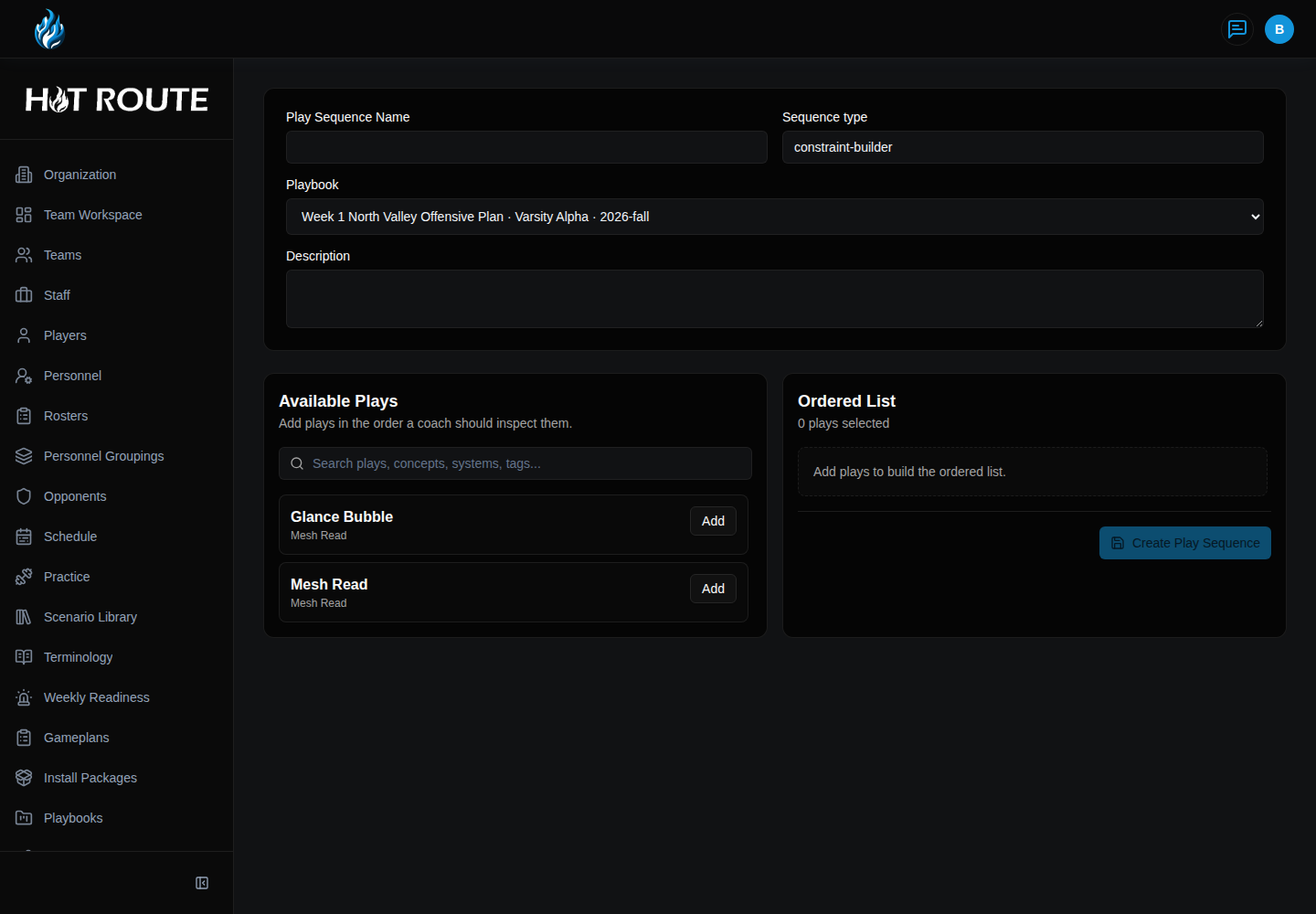
/play-sequence/new | Create a new sequence from available plays in one playbook. |
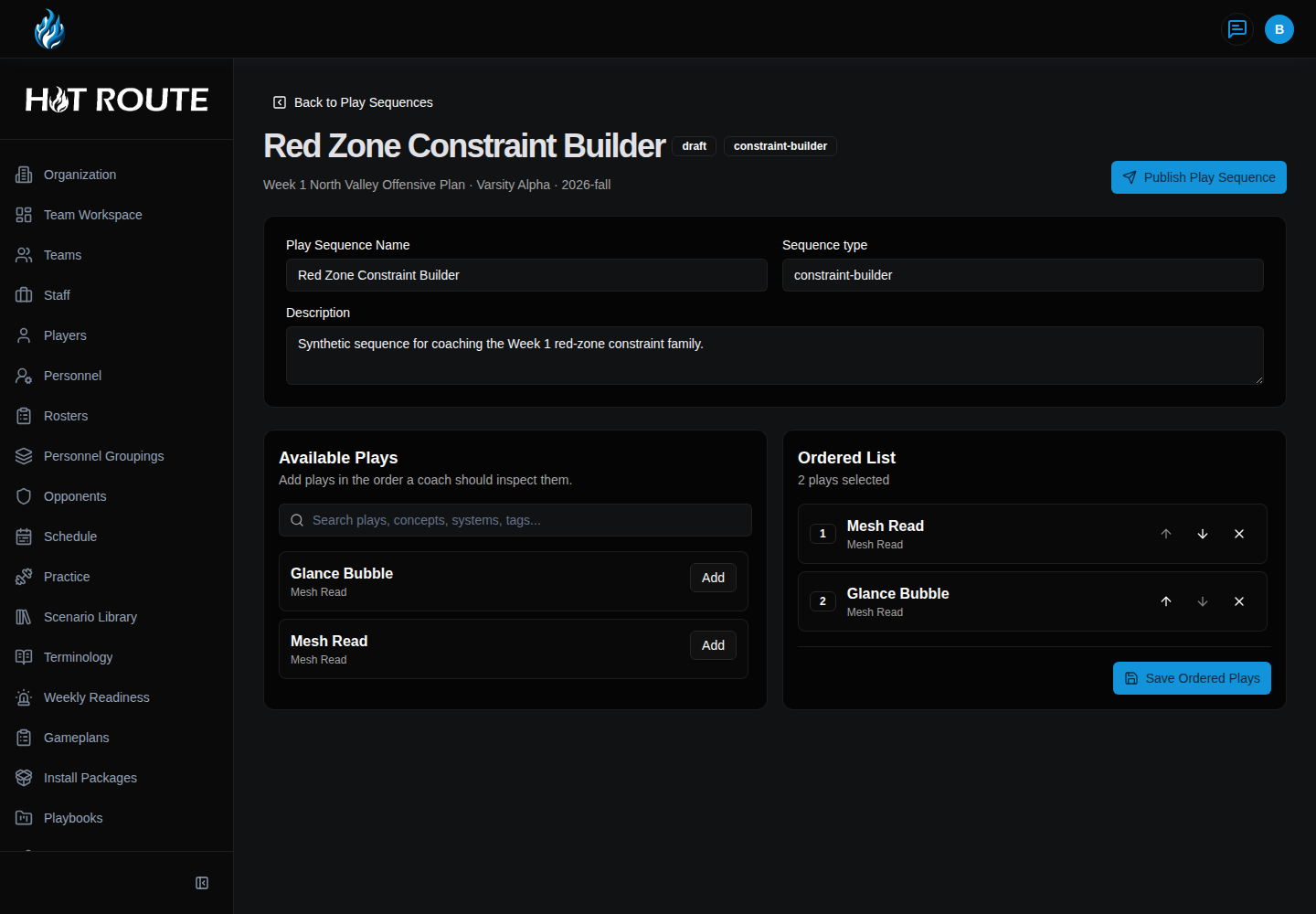
/play-sequence/[id] | Inspect or edit one sequence and its ordered play list. |
The list page is the fastest way to find a sequence. The create page builds the initial draft. The detail page preserves the editable draft order and the publish path.
Create a play sequence
- In the left navigation, click Play Sequences.
- Click Create Play Sequence.
- Confirm the selected playbook.
- Enter a name coaches will recognize.
- Keep the sequence type aligned with the football purpose.
- Add a description that explains the teaching or preparation use.
- Use search when the playbook contains many plays.
- Click Add for each play that belongs in the sequence.
- Review the Ordered List before saving.
- Click Create Play Sequence.
Inspect or edit a sequence
- Open
/play-sequence. - Search or filter until the sequence is visible.
- Click the sequence row.
- Review name, type, status, playbook, team, season, and description.
- Review Available Plays and Ordered List.
- Use up, down, remove, and add controls to adjust a draft list.
- Click Save Ordered Plays when the draft order changes.
- Publish only when the staff intends that ordered sequence to become the stable reference.
- If the record is published and needs changes, start a revision before editing.
Relationship to plays, gameplans, and callsheets
Sequences consume plays. They do not change the play records.
Gameplans and callsheets may later reference ordered football context, but they should still preserve source scope and version expectations. Do not treat a sequence as a printed callsheet or as a live recommendation engine.
Common questions or mistakes
Can a sequence include plays from multiple playbooks?
Not in this release. Keep one sequence inside one playbook scope.
Does publishing a sequence publish the plays inside it?
No. The sequence lifecycle is separate from the lifecycle of each play.
Should a sequence replace Play Grid selection?
No. Use Play Grid to browse and compare. Use Play Sequences when the staff wants to save an ordered list.
Related docs / next steps
Read Play Grid before assembling sequences from a visual browse session.
Read Play Scripts when the ordered list is closer to a scripted call or practice-check sequence.
Read Callsheets before turning play context into formatted output.