


Feature Guides
Terminology Registry
Learn how HotRoute terminology helps staff keep shared football language, tags, aliases, source refs, and usage links consistent.
Overview / Purpose
The Terminology Registry helps staff keep football language consistent.
Use it to define terms, aliases, tags, source references, and usage links so coaches and staff do not drift into different meanings for the same idea.
Who this is for
This page is for coaches, analysts, and staff operators who own language, tagging, and shared vocabulary.
It is also useful for organization owners who need to understand why terminology visibility may differ by role or lifecycle state.
What to know first
Terminology can include baseline language and organization-local language.
Published terms are safer for broader reference. Draft or activity detail may be visible only to staff with the right access.
Terms should explain staff language. They should not expose secrets, private customer data, youth/student information, billing state, or raw integration payloads.
How it works
This guide covers these routes:
| App route | What it is for |
|---|---|
/terminology | Browse terms, manage tags, filter the registry, and create organization-local terminology when allowed. |
/terminology/[termId] | Inspect a term, aliases, source refs, usage links, activity, and edit controls when allowed. |
Terminology supports search and retrieval because a well-defined term can explain what matched and why. That does not mean every hidden or draft detail should be visible to every consumer.
Step-by-step instructions
- In the left navigation, click Terminology.
- Review the tag cards and registry list.
- Use search when you know a term, alias, or tag label.
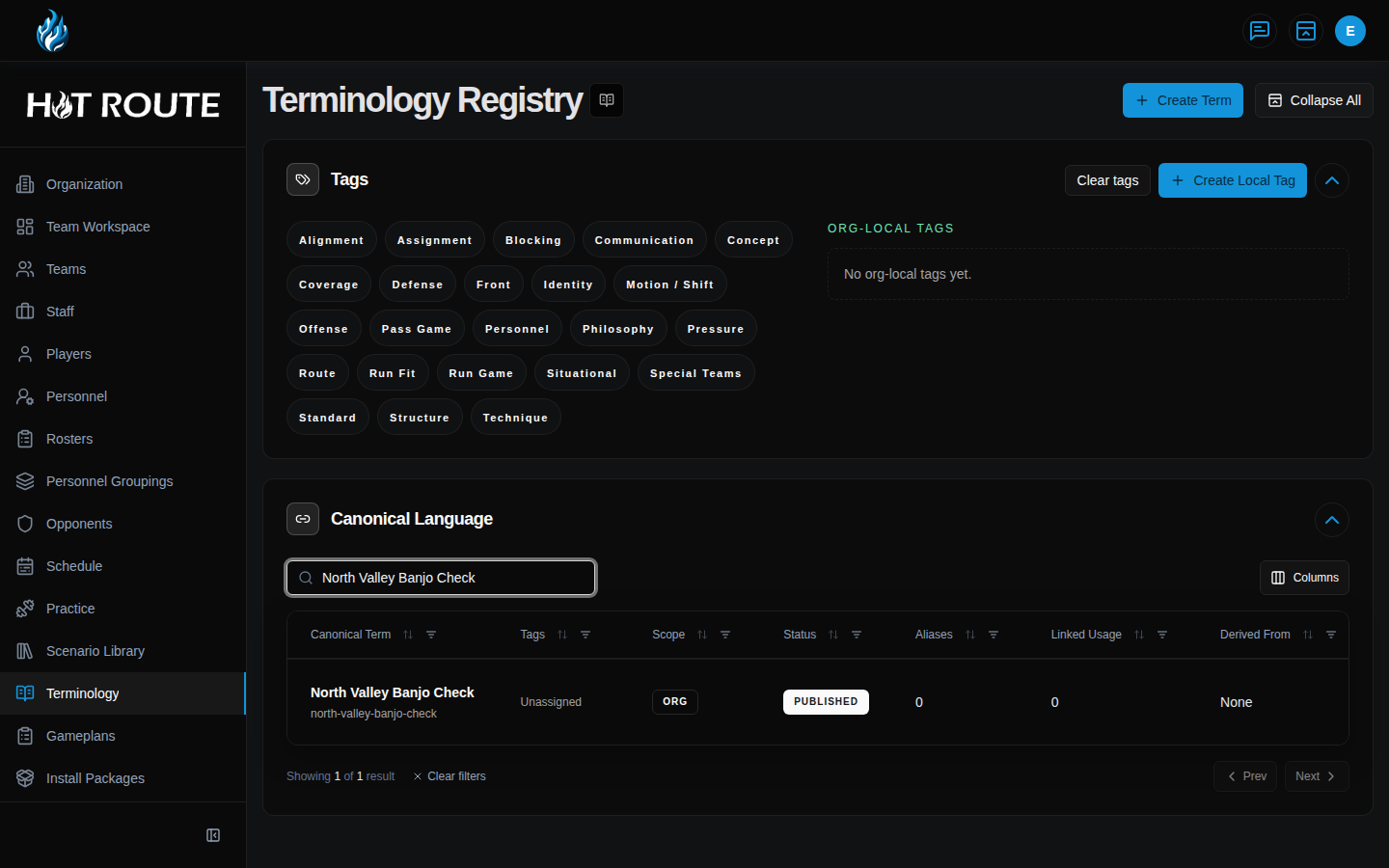
- Use tag filters when the staff needs a narrower vocabulary group.
- Click a term row to open the detail page.
- Review the term definition, aliases, tags, source refs, and usage links.
- When your access allows it, create or edit organization-local terms.
- Use aliases for real staff language variations.
- Use source refs and usage links when they help another staff member understand where the term applies.
- Return to the registry when the staff needs to compare terms or clean up tags.
What good looks like
Good terminology makes staff language more stable.
Staff should be able to answer:
- What does this term mean in our context?
- Which aliases might another coach use?
- Which tags help group the term?
- Which plays, playbooks, or other objects use the term?
- Is this published terminology or staff-only working context?
Common questions or mistakes
Is the docs glossary the same as organization terminology?
No. The docs glossary explains public product language. Organization terminology explains a staff's football language inside HotRoute.
Should a tag replace a concept or system?
No. Tags help search and grouping. Concepts and systems preserve deeper football structure.
Can customer agents cite terminology?
Only when the term is visible in the requested scope and the search or retrieval surface can return safe citation details.
Related docs / next steps
Read Playbook Manager to see how terminology tags help organize playbook work.
Read Retrieval and Search to understand customer-safe citation behavior.
Read Glossary for public docs-site vocabulary.